


Street League Football
Play on PC with BlueStacks – the Android Gaming Platform, trusted by 500M+ gamers.

Page Modified on: Nov 12, 2026
Play Street League Football on PC
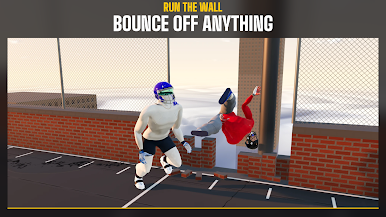
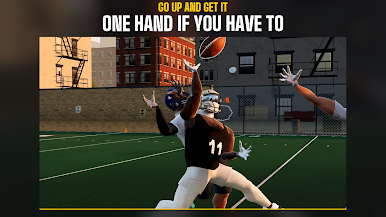
Players' bodies and the ball actually collide, so no two plays look the same. Run up a wall, go up one-handed over a defender, or truck the tackler and keep going.
MODES
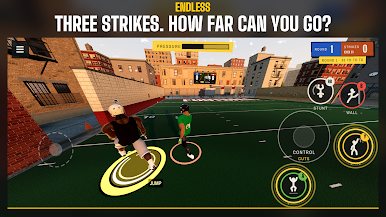
- Endless: CPU opponents get tougher every round. Three strikes and you're out. Play offense, defense or both and climb the global leaderboards.
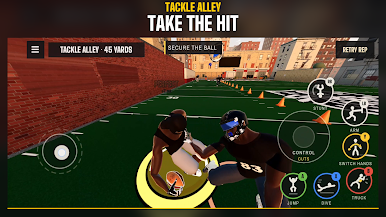
- Tackle Alley: carry the ball through a lane of tacklers, or line up as the defender and stop the runner.
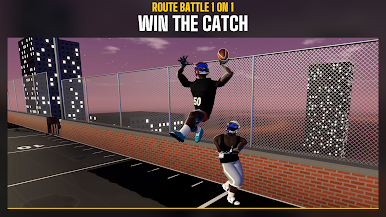
- Route Battle 1 on 1: receiver against corner, eight reps, roles swap every two. Play online multiplayer with quick match or a room code, or take on four CPU difficulties.
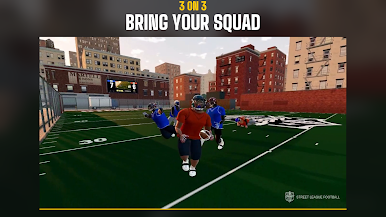
- 3 on 3: squads, rush counts and route calls, online or against the CPU. Still being built.
- Practice: kickoff returns, quarterback drills and route work.
FREE TO START
The free download includes the tutorial, Tackle Alley with one tackler, Route Battle 1 on 1 against Rookie and Street CPU opponents, and the replay editor. One Full Game purchase unlocks Endless, 3 on 3, kickoff returns, quarterback and route practice, online play, more Tackle Alley defenders, and Legend and Insane CPU difficulty. No ads and no subscriptions. Restore Purchases is in Settings.
MORE
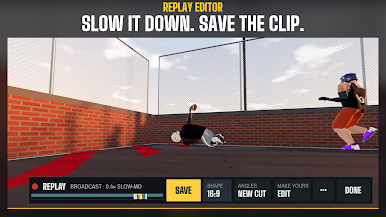
- Replay editor: rewatch any play from new camera angles in slow motion, then save and export the clip.
- Locker: build your player's body, head, hair, gear, cleats and colors.
- Touch controls built for landscape, with a layout editor to move every button. Controllers work too.
- Cross-platform online matches.
Online play needs an internet connection and uses Epic Online Services. Found a problem? Use the in-game Feedback button.


Play Street League Football on PC. It’s easy to get started.
-
Download and install BlueStacks on your PC
-
Complete Google sign-in to access the Play Store, or do it later
-
Look for Street League Football in the search bar at the top right corner
-
Click to install Street League Football from the search results
-
Complete Google sign-in (if you skipped step 2) to install Street League Football
-
Click the Street League Football icon on the home screen to start playing

