


TiviMate IPTV Player
Play on PC with BlueStacks – the Android Gaming Platform, trusted by 500M+ gamers.

Page Modified on: Jun 22, 2026
Play TiviMate IPTV Player on PC
Key features:
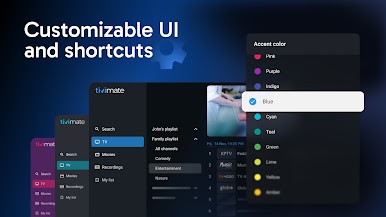
- Refined, intuitive and customizable interface tailored for large screens
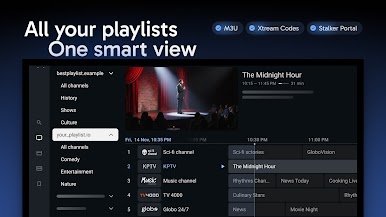
- Support for common IPTV playlist formats: M3U, Xtream Codes, Stalker Portal
- TV guide (EPG): browse the full program schedule in a fast, clear grid
- Multiple playlists: Effortlessly manage and switch between your playlists
- Favorite channels: Bookmark your most-watched channels for instant access
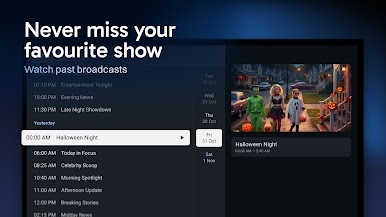
- Catch-up: Access past broadcasts so you never miss a show
- Recording: Record your favorite shows to watch later
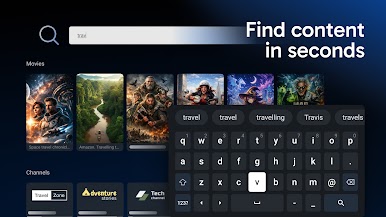
- Search: Find channels and shows instantly with intuitive search
- Parental controls: Manage access easily to ensure a safe viewing environment
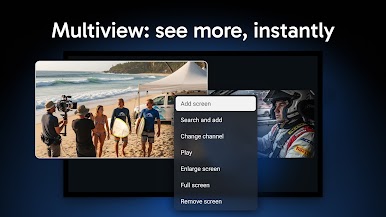
- Multiview: Watch multiple channels at once on a single screen
- And much more
Device compatibility:
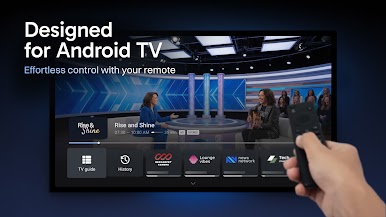
TiviMate is designed for Android TV and remote control navigation. It is not optimized for touch devices such as phones or tablets.
IMPORTANT
TiviMate is a media player only and does not provide any content. TiviMate is not affiliated with any content provider and does not endorse the use of illegal content sources. To watch anything, you must add your own playlists. Any paid subscription or premium upgrade unlocks application features only; it does not include, or provide access to, any channels, streams, or media content.
Play TiviMate IPTV Player on PC. It’s easy to get started.
-
Download and install BlueStacks on your PC
-
Complete Google sign-in to access the Play Store, or do it later
-
Look for TiviMate IPTV Player in the search bar at the top right corner
-
Click to install TiviMate IPTV Player from the search results
-
Complete Google sign-in (if you skipped step 2) to install TiviMate IPTV Player
-
Click the TiviMate IPTV Player icon on the home screen to start playing

