


Flying Warrior: City Legends
Play on PC with BlueStacks – the Android Gaming Platform, trusted by 500M+ gamers.

Page Modified on: Jul 13, 2026
Main Flying Warrior: City Legends on PC
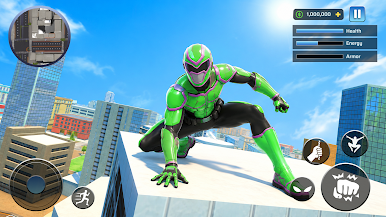
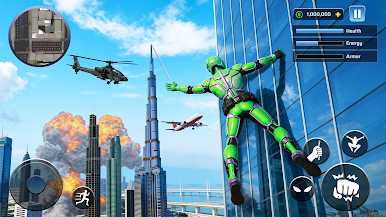
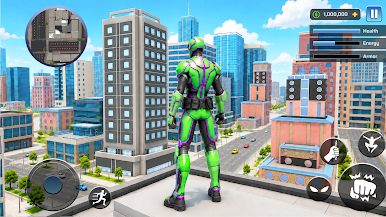
Fly between skyscrapers, swing with high-tech gear, fight enemies, unlock weapons, and complete heroic missions in a dynamic open-world urban playground.
GAME FEATURES
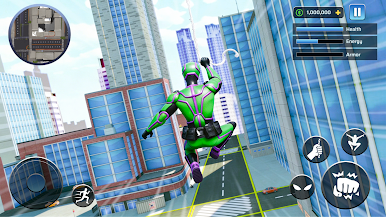
Sky-Flight Movement
Glide, boost, dive, and fly freely through the entire city.
Grappling & Swing Mobility
Use advanced hook gear to swing between buildings and reach high ground instantly.
Action-Packed Missions
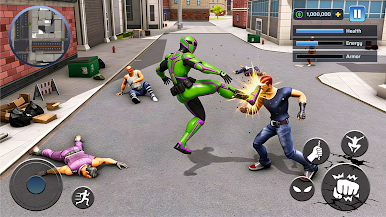
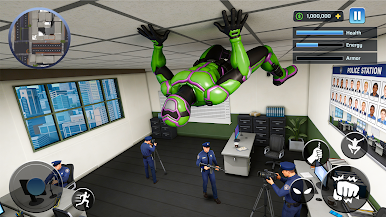
Stop crimes, rescue civilians, chase villains, and clear enemy zones.
Combat & Skills
Punch, kick, slam, use special powers, and unleash aerial attacks.
Weapons & Upgrades
Unlock blasters, cannons, melee weapons, explosives, and hero suits.
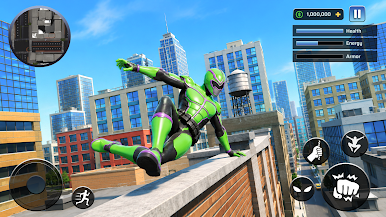
City Exploration
Move across rooftops, neon streets, alleys, and multiple districts.
Stunts & Physics Moments
Perform flips, sky dives, hook jumps, and stylish takedowns.
Rise above the city and become the legend it needs — the Flying Warrior.
Play Flying Warrior: City Legends on PC. It’s easy to get started.
-
Download and install BlueStacks on your PC
-
Complete Google sign-in to access the Play Store, or do it later
-
Look for Flying Warrior: City Legends in the search bar at the top right corner
-
Click to install Flying Warrior: City Legends from the search results
-
Complete Google sign-in (if you skipped step 2) to install Flying Warrior: City Legends
-
Click the Flying Warrior: City Legends icon on the home screen to start playing

