


Solitaire Desire-Classic
Play on PC with BlueStacks – the Android Gaming Platform, trusted by 500M+ gamers.

Page Modified on: Sep 4, 2026
Main Solitaire Desire-Classic on PC
🎮 Core Gameplay & Mechanics
♠️ Authentic Solitaire ExperiencePlay traditional single-player card solitaire using standard rules.Arrange cards on the board in descending order while alternating colors.Build the four suit foundations from Ace to King to win each deal.
🎨 Personalized Themes & CustomizationPersonalize your tabletop with a wide selection of card backs, card faces, and background colors.Clear graphics and high-contrast card fonts designed to minimize visual fatigue.
💡 Smart Assistance & ToolsUnlimited Free Hints: Get helpful suggestions whenever you are unsure of your next move.Unlimited Free Undos: Revert previous moves easily to test different card strategies.Auto-Complete Feature: Finish solved hands quickly once all face-down cards are revealed.
⚙️ Tailored PreferencesDraw 1 or Draw 3 Modes: Switch between relaxing single-card deals or more challenging three-card draws.Left-Handed Mode: Adjust the screen layout for comfortable single-handed play.Audio Controls: Easily adjust or mute sound effects and background audio at any time.
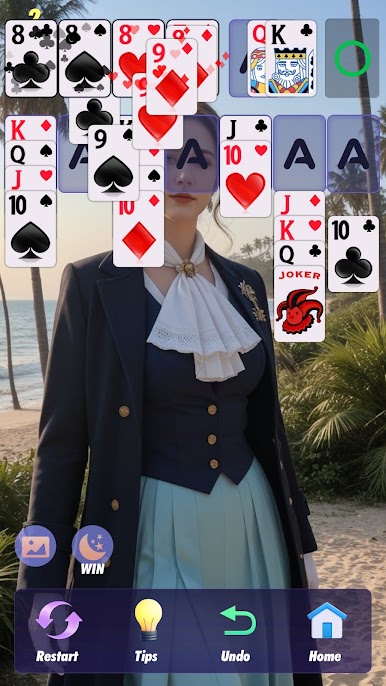
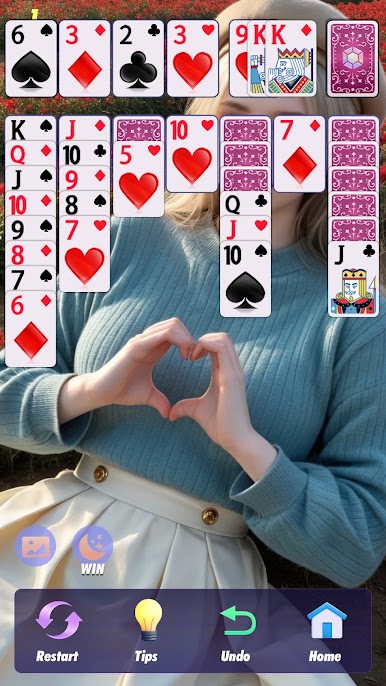
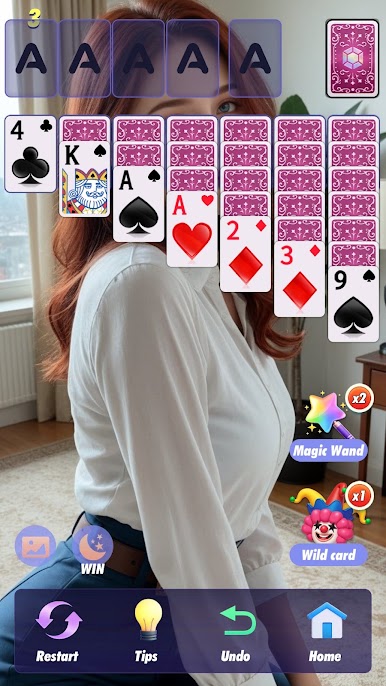
Play Solitaire Desire-Classic on PC. It’s easy to get started.
-
Download and install BlueStacks on your PC
-
Complete Google sign-in to access the Play Store, or do it later
-
Look for Solitaire Desire-Classic in the search bar at the top right corner
-
Click to install Solitaire Desire-Classic from the search results
-
Complete Google sign-in (if you skipped step 2) to install Solitaire Desire-Classic
-
Click the Solitaire Desire-Classic icon on the home screen to start playing

