


Multi Maze 3D
Play on PC with BlueStacks – the Android Gaming Platform, trusted by 500M+ gamers.

Page Modified on: Mar 23, 2026
Play Multi Maze 3D on PC or Mac
Multi Maze 3D is a puzzle game developed by CrazyLabs LTD. BlueStacks app player is the best platform (emulator) to play this Android game on your PC or Mac for an immersive gaming experience!
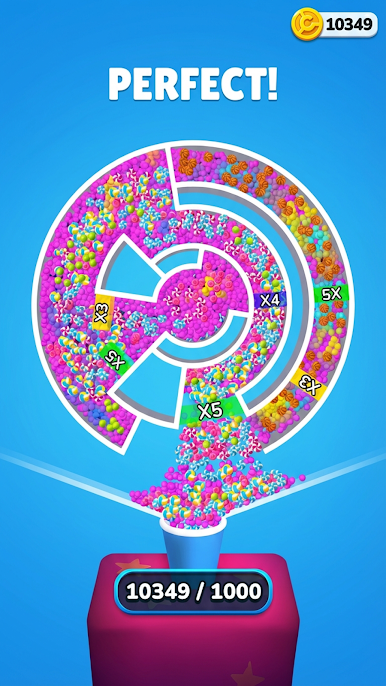
Play Multi Maze 3D on PC and enjoy this puzzle game from the large and gorgeous display on your PC! Immerse yourself in this fun puzzle game where you spin, bounce, and collect balls into a cup.
In the Multi Maze 3D PC game, you’re to spin the wheel in different directions to multiply, bounce, and collect balls into a cup! Bounce, multiply, and fill the cup with beautifully colored balls!
Rotate the circular maze every time, find the fastest route to take the balls out of the maze, and steer all balls in the right direction. Each level comes with increasing difficulty. Collect all the balls into a cup to complete each level!
Upgrade the maze to change the ball’s shape and skin and increase your chances of hitting high scores! Immerse yourself in different brain teasers and solve them to win exciting rewards!
Your journey to winning this starts now! Spin and rotate the maze to drive the colored balls into the cup. Can you get all the balls into the cup? It’s time to find out!
Download Multi Maze 3D on PC to play this exciting puzzle game!

















Play Multi Maze 3D on PC. It’s easy to get started.
-
Download and install BlueStacks on your PC
-
Complete Google sign-in to access the Play Store, or do it later
-
Look for Multi Maze 3D in the search bar at the top right corner
-
Click to install Multi Maze 3D from the search results
-
Complete Google sign-in (if you skipped step 2) to install Multi Maze 3D
-
Click the Multi Maze 3D icon on the home screen to start playing

