


Shape Abyss Crossing
Play on PC with BlueStacks – the Android Gaming Platform, trusted by 500M+ gamers.

Page Modified on: Apr 23, 2026
Play Shape Abyss Crossing on PC
Master your timing and conquer the abyss in this intense jumping challenge!
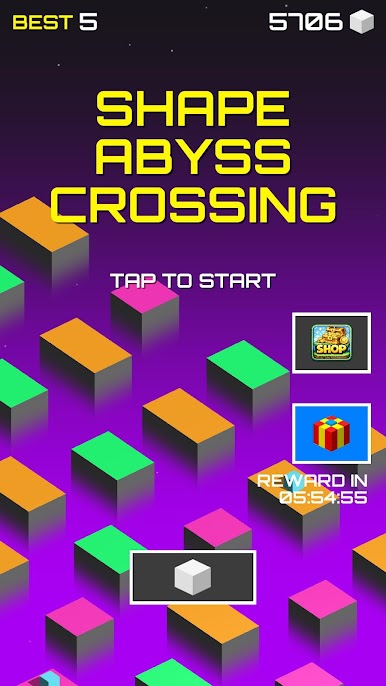
In Shape Abyss Crossing, you control a character navigating across moving platforms suspended above a deep and endless void. One mistimed jump and you’ll fall into the abyss — game over!
Carefully watch the movement of each platform and jump at the perfect moment when it gets close enough. As you progress, the speed increases, patterns become more complex, and your reflexes will be pushed to the limit.
🎮 FEATURES
⚡ Easy Controls, Hardcore Challenge
Simple tap-to-jump gameplay with deep skill-based mechanics.
🧠 Precision Timing Gameplay
Every jump counts — react too early or too late and it’s over.
📈 Progressive Difficulty
Levels become faster and more unpredictable as you advance.
💰 Collect Coins
Gather coins while playing to boost your progress.
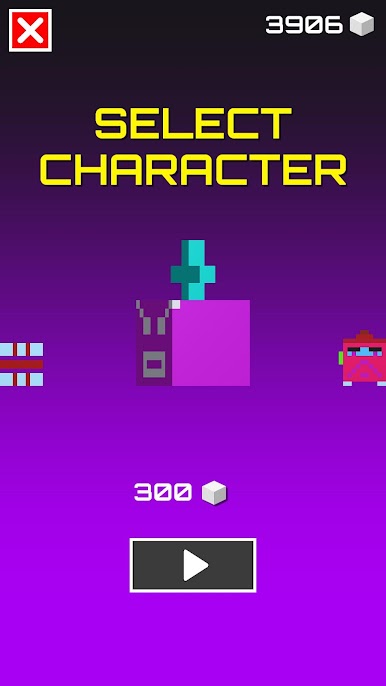
🎨 Unlock Stylish Skins
Customize your character with unique and fun skins.
🌌 Minimalist & Addictive Experience
Clean visuals combined with intense, fast-paced gameplay.
🚀 DO YOU HAVE PERFECT TIMING?
Jump wisely, stay focused, and cross the abyss!
👉 Download Shape Abyss Crossing now and prove your skills!"




Play Shape Abyss Crossing on PC. It’s easy to get started.
-
Download and install BlueStacks on your PC
-
Complete Google sign-in to access the Play Store, or do it later
-
Look for Shape Abyss Crossing in the search bar at the top right corner
-
Click to install Shape Abyss Crossing from the search results
-
Complete Google sign-in (if you skipped step 2) to install Shape Abyss Crossing
-
Click the Shape Abyss Crossing icon on the home screen to start playing

