


Conquian – As de Oros
Play on PC with BlueStacks – the Android Gaming Platform, trusted by 500M+ gamers.

Page Modified on: Jan 11, 2026
Play Conquian – As de Oros on PC
The game includes two game modes:
• Deal 8 cards to win by forming 9.
• Deal 9 cards to win by forming 10.
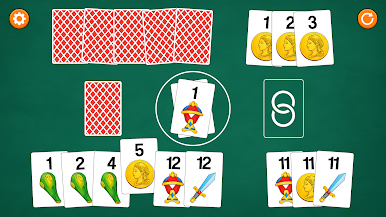
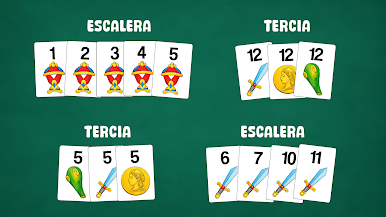
Your mission is to strategically group your cards to form valid combinations and get rid of them all before your opponent to win. If you fail, you will lose or draw. The mechanics are faithful to the classic rules of traditional Conquián with the Spanish deck, making it ideal for both new players and those already familiar with the game.
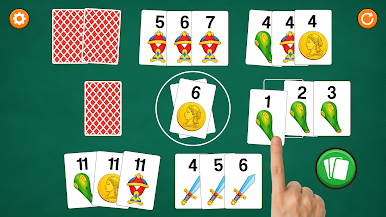
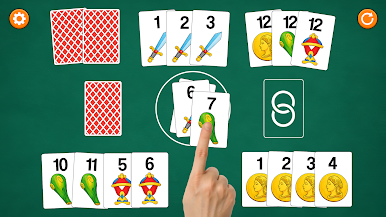
Conquián – Ace of Diamonds is easy to learn and intuitive to play, featuring a clear and accessible interface, a game restart option, and a statistics section where you can view your played games, wins, and losses. All of this is accompanied by an attractive design, fluid animations, and immersive sound that enhances the gaming experience.
Enjoy classic Conquián in its digital version and demonstrate your strategy in every game. Ready to become the best Conquián – Ace of Diamonds player?

Play Conquian – As de Oros on PC. It’s easy to get started.
-
Download and install BlueStacks on your PC
-
Complete Google sign-in to access the Play Store, or do it later
-
Look for Conquian – As de Oros in the search bar at the top right corner
-
Click to install Conquian – As de Oros from the search results
-
Complete Google sign-in (if you skipped step 2) to install Conquian – As de Oros
-
Click the Conquian – As de Oros icon on the home screen to start playing

