Campus Chaos Sim

Campus Chaos Sim

Role Playing | Dev_studio

Play on PC with BlueStacks – the Android Gaming Platform, trusted by 500M+ gamers.

Page Modified on: Apr 10, 2026

Main Campus Chaos Sim on PC

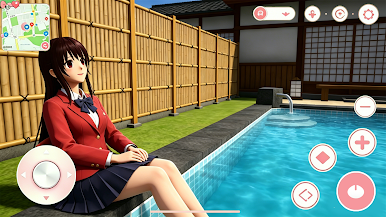
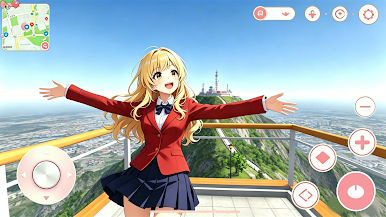
Get ready for non-stop fun in Campus Chaos Sim—your go-to open-world high school game! What’s first on your agenda? Crush a basketball game with your friends, sneak a picnic on the roof, or ace that math test (if you’re feeling studious). The campus is packed with vibes: the canteen serves bangers from fries to milkshakes, the pool is perfect for summer hangs, and every club’s throwing down with cool activities. Make your crew, flirt with your crush, and customize your look to stand out—wild hairstyles, sick outfits, whatever matches your energy. No boring scripts, no forced tasks—just you, your friends, and endless campus adventures. Download now and let the chaos (the fun kind!) begin!

Play Campus Chaos Sim on PC. It’s easy to get started.

  • Download and install BlueStacks on your PC

  • Complete Google sign-in to access the Play Store, or do it later

  • Look for Campus Chaos Sim in the search bar at the top right corner

  • Click to install Campus Chaos Sim from the search results

  • Complete Google sign-in (if you skipped step 2) to install Campus Chaos Sim

  • Click the Campus Chaos Sim icon on the home screen to start playing

Watch Video