


Riot Ball
Play on PC with BlueStacks – the Android Gaming Platform, trusted by 500M+ gamers.

Page Modified on: Apr 17, 2026
Main Riot Ball on PC
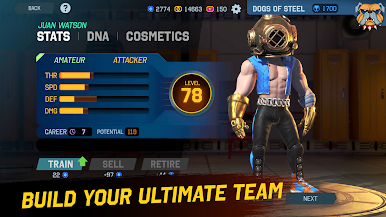
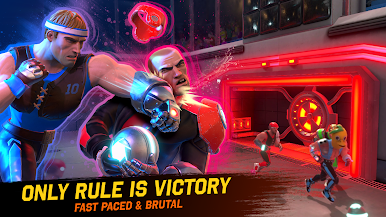
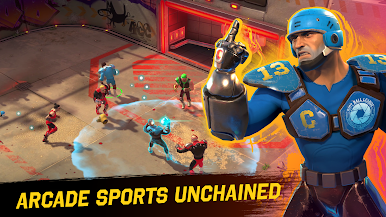
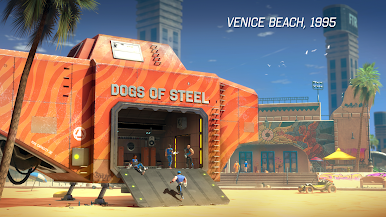
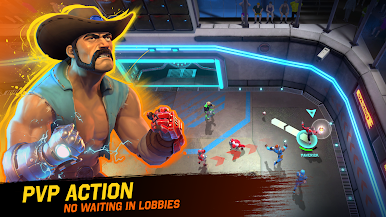
Welcome to Riot Ball—a high-octane, team-based sports game set in an alternate 1995 where exotic energy powers a brutal new form of competition. Forget simulations. This is pure, unfiltered arcade action.
🏆 Why Riot Ball?
• Fast like NHL, fierce like NFL, and strategic like FIFA
• No rules. Just one goal: Victory at all costs
• Built for gameplay first—no flashy distractions, just pure fun
🌐 Cross-Platform Chaos
• Play on mobile, PC, or console—fully cross-play
• Your save data is auto-synced across all devices
• Dominate at home or on-the-go
🤝 Team Up Like Never Before
• Co-own teams with your friends
• Assign roles, share rewards, and progress together
• No need to grind solo—everyone contributes, everyone wins
⚡ Uncompromised Performance
• Smooth 60 FPS even on mid-range phones
• Optimized controls for touch, gamepad, and keyboard+mouse
• Compete on equal footing, no matter your platform
🚀 No Waiting. Just Playing.
• Lightning-fast matchmaking
• Global low-latency servers
• Jump in or out mid-match—you’re never stuck waiting
⸻
Join the Riot. Rule the Arena.
Riot Ball isn’t just a game — it’s a revolution in arcade sports.

Play Riot Ball on PC. It’s easy to get started.
-
Download and install BlueStacks on your PC
-
Complete Google sign-in to access the Play Store, or do it later
-
Look for Riot Ball in the search bar at the top right corner
-
Click to install Riot Ball from the search results
-
Complete Google sign-in (if you skipped step 2) to install Riot Ball
-
Click the Riot Ball icon on the home screen to start playing

