


Police Crash Simulator
Play on PC with BlueStacks – the Android Gaming Platform, trusted by 500M+ gamers.

Page Modified on: Apr 24, 2026
Play Police Crash Simulator on PC
Drive 5 different police vehicles and customize them with multiple skins. Explore how each vehicle handles in different areas and enjoy physics-based crashes, visible damage, and breakable vehicle parts.
The game contains ads and includes no in-app purchases.
Features
Drive 5 Different Police Vehicles
Choose from 5 different police vehicles and customize them with multiple skins. Try each vehicle in different driving and crash scenarios.
Crash and Damage Simulation
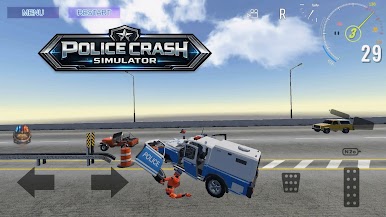
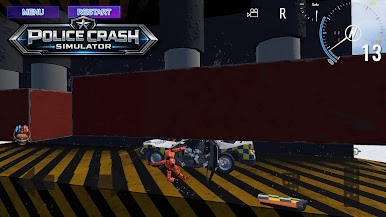
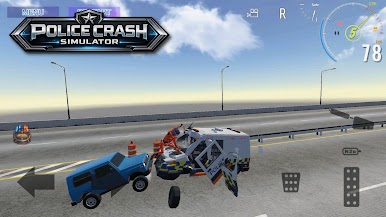
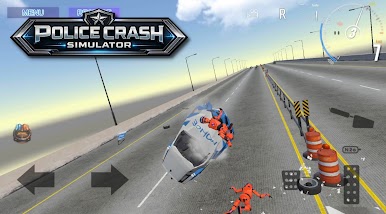
Create collisions, damage vehicles, break parts, and watch vehicle deformation. In high-speed crashes, crash test dummies can be thrown out of the vehicle.
Highway Free Drive
Drive through highway traffic, build speed, avoid other vehicles, or enjoy free driving on open roads.
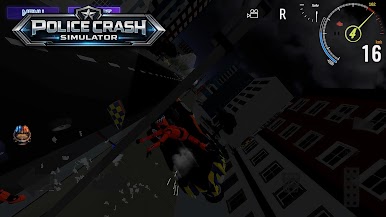
City Driving Day and Night
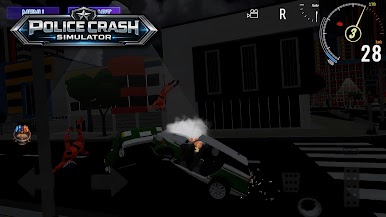
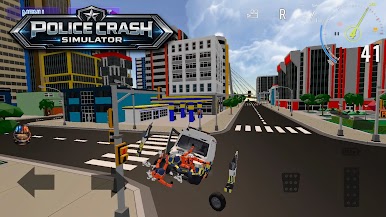
Explore city environments with traffic in both daytime and nighttime conditions. Drive freely through the streets, test vehicle handling, and create different crash situations.
Separate Crash Test Level
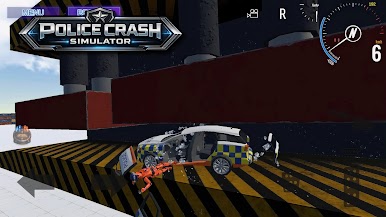
Select a separate level built for crash experiments, featuring crushers, heavy hammers, and other mechanical obstacles that let you test different types of vehicle damage.
Multiple Camera Angles
Watch crashes and vehicle damage from different camera views.
Sandbox Gameplay
There are no strict missions. Drive, test, crash, and explore at your own pace.
Game Features
- 5 different police vehicles
- Multiple selectable vehicle skins
- Physics-based vehicle damage
- Breakable vehicle parts
- Crash test dummies
- Highway traffic driving
- City driving in day and night settings
- Separate crash test level with crushers and hammers
- Free-to-play gameplay
- Ads included
- No in-app purchases
Whether you want to drive through traffic, test crashes, try different vehicle skins, or enter a dedicated crash test level full of obstacles, Police Crash Simulator offers a variety of driving and crash experiences in one game.

Play Police Crash Simulator on PC. It’s easy to get started.
-
Download and install BlueStacks on your PC
-
Complete Google sign-in to access the Play Store, or do it later
-
Look for Police Crash Simulator in the search bar at the top right corner
-
Click to install Police Crash Simulator from the search results
-
Complete Google sign-in (if you skipped step 2) to install Police Crash Simulator
-
Click the Police Crash Simulator icon on the home screen to start playing

