

Vice Sniper: Crime Shooting 3D
Play on PC with BlueStacks – the Android Gaming Platform, trusted by 500M+ gamers.

Page Modified on: Jan 20, 2026
Main Vice Sniper: Crime Shooting 3D on PC
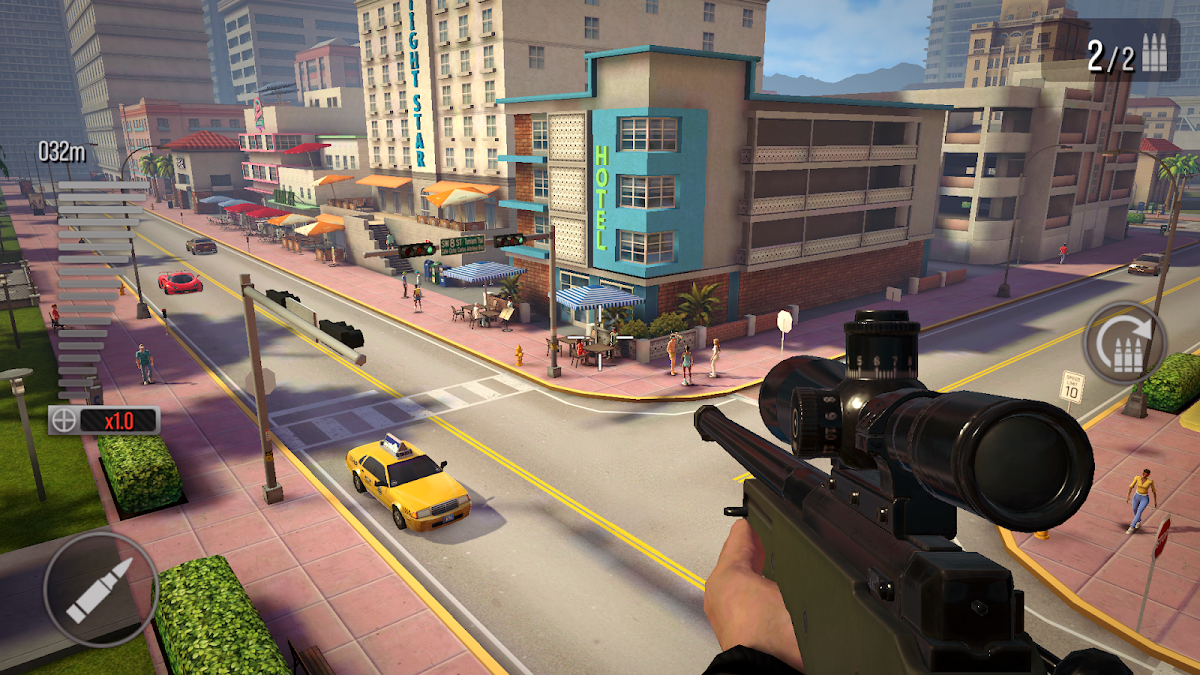
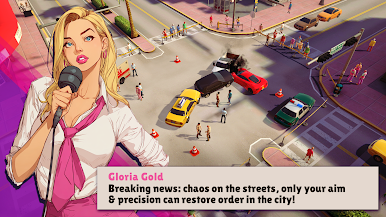
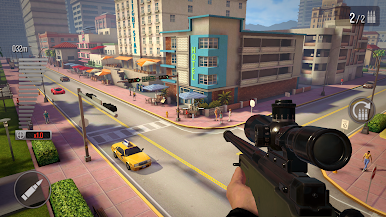
Get ready for an action-packed free-to-play sniper adventure where every shot counts. As an elite assassin sniper, you take on missions from anyone who pays — sometimes it’s the police cleaning up the streets, other times it’s crime lords, mafia cartels, or rival gangs fighting for control in the city of sin.
🎯 Sniper 3D Action: Play intense sniper missions with easy controls and realistic gunplay. Prove your skills as a professional shooter.
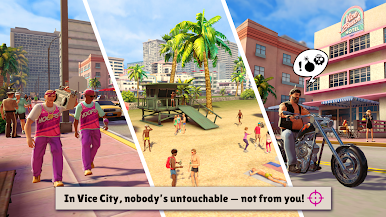
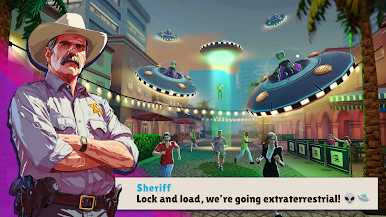
🌴 Miami City Vibes: Eliminate criminals at beaches, pool parties, and even during crazy events like alien invasions. Every mission is different in this GTA-inspired gangster world.
💀 Rise to Power: Start at the bottom as a hired assassin. Complete missions, take down crime lords, fight dangerous gangs, stop gang war, and face powerful mafia bosses to rule the underworld of Crime City.
🔫 Guns & Upgrades: Collect and upgrade sniper rifles, shotguns, and pistols. Build your arsenal and unlock deadly guns in this free shooting game.
🚓 Work Both Sides: Aid the police in critical missions, or side with gangsters and mafia bosses. In a city of neon lights and crime, every choice matters.
🔥 Free to Play & Offline: Play anytime, anywhere — no internet needed! Take your gun and complete missions on the go, just like classic GTA shooters.
Why Vice Sniper?
- Free sniper 3D shooting game with hundreds of missions.
- Offline gameplay — no Wi-Fi required.
- Variety of guns: sniper rifles, shotguns, pistols & more.
- Epic crime lords, mafia cartels, gang war and crazy events.
- 80s neon style and unique Miami-inspired setting — a true city of sin.
- Smooth FPS shooter controls for realistic sniper action.
✨ Every gang has a price. Every mafia has a weakness. Every shot brings you closer to power. Download Vice Sniper: Crime Shooting 3D now and prove you’re the ultimate shooter in the city of sin!



Play Vice Sniper: Crime Shooting 3D on PC. It’s easy to get started.
-
Download and install BlueStacks on your PC
-
Complete Google sign-in to access the Play Store, or do it later
-
Look for Vice Sniper: Crime Shooting 3D in the search bar at the top right corner
-
Click to install Vice Sniper: Crime Shooting 3D from the search results
-
Complete Google sign-in (if you skipped step 2) to install Vice Sniper: Crime Shooting 3D
-
Click the Vice Sniper: Crime Shooting 3D icon on the home screen to start playing

