


Monkey Obby: Master Escape
Play on PC with BlueStacks – the Android Gaming Platform, trusted by 500M+ gamers.

Page Modified on: Aug 28, 2026
Main Monkey Obby: Master Escape on PC
How to play
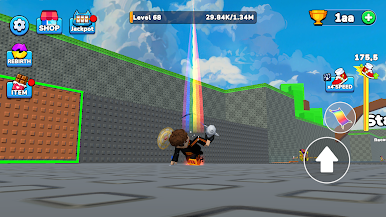
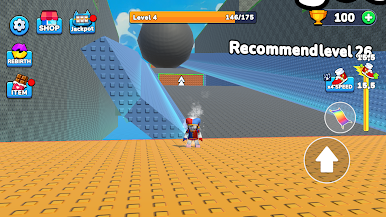
Move with the on-screen joystick and tap the jump button to leap between platforms. Every step you take increases your running speed, so the later parts of a stage are faster and harder to control. If you fall, you respawn at your last checkpoint and keep going.
Features
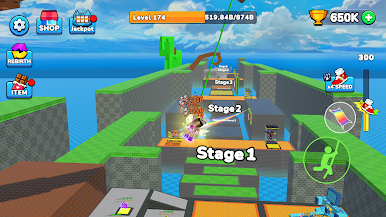
- Multiple stages with increasing difficulty, each with its own layout of platforms, gaps and moving obstacles
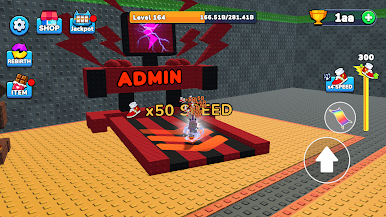
- Speed system: your movement speed grows as you progress through a stage
- Level and experience system that tracks your progress
- Coins and trophies earned by clearing stages
- Upgrade menu to permanently improve speed, jump and other stats
- Shop with character skins and trail effects
- Checkpoint respawn, so you never restart a stage from the beginning
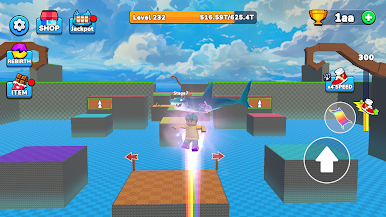
Play Monkey Obby: Master Escape on PC. It’s easy to get started.
-
Download and install BlueStacks on your PC
-
Complete Google sign-in to access the Play Store, or do it later
-
Look for Monkey Obby: Master Escape in the search bar at the top right corner
-
Click to install Monkey Obby: Master Escape from the search results
-
Complete Google sign-in (if you skipped step 2) to install Monkey Obby: Master Escape
-
Click the Monkey Obby: Master Escape icon on the home screen to start playing

