


Racing League: 3D Race Offline
Play on PC with BlueStacks – the Android Gaming Platform, trusted by 500M+ gamers.

Page Modified on: Oct 29, 2025
Main Racing League: 3D Race Offline on PC
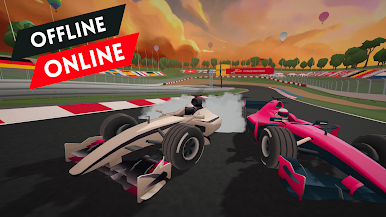
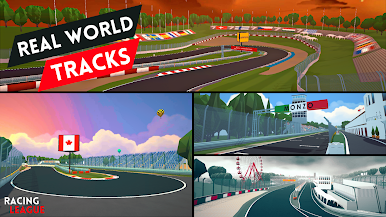
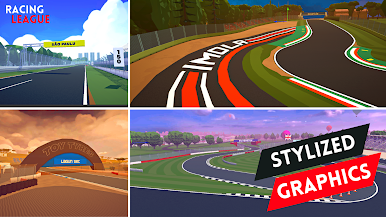
"Racing League" offers multiple real-life race tracks like Suzuka, Nurburgring, Imola, Silverstone and more. Choose from multiple race classes and compete in the season 2023. With stunning graphics, realistic car controls and multiple race events, this game will be your new favorite. Play with AI or against other players in real-time multiplayer mode, or compete against the clock in time trials. Customize your vehicles with a wide variety of upgrades and unlock new tracks as you progress through the game. Download now and join the thrill of the race!
Get ready for the ultimate racing experience with our high-speed, action-packed game! With stunning graphics and intuitive controls, you'll feel like you're behind the wheel of the most powerful cars on the planet. Race against other players from around the world in real-time multiplayer mode, or compete against the clock in time trials. Customize your vehicles with a wide variety of upgrades and unlock new tracks as you progress through the game. Download now and join the thrill of the race!
Features:
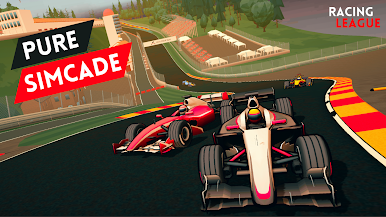
Beautiful Stylized 3D Graphics
Multiple Real Life Race Tracks
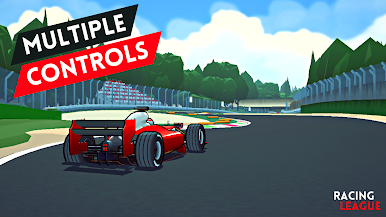
Multiple Touch Control Options & Gamepad Support
Online Multiplayer/ Offline AI Mode
Graphics Quality Control
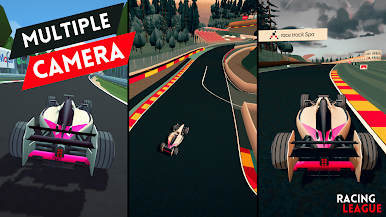
Multiple Camera Angles
No InApp Purchase
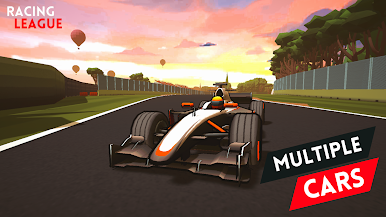
Multiple racing cars with different racing types
More race types and tracks will be added soon
Requirements:
This game requires a minimum of 3GB of RAM and a Snapdragon 680, MediaTek G85, or equivalent processor.
Reduce the quality setting if the game lags or the device heats up.
Contact and Evaluation:
Share your opinion and evaluation with your feedback on the game in the comments. Your feedback will be highly appreciated.
Alternatively, you can contact us at nirvanastudio.zero@gmail.com.
About Us:
We are indie developers, striving to do something different.
Visit our official site at nirvanastudio.co.
Follow us on Instagram: instagram.com/nirvanastudio_co
View our Sketchfab: sketchfab.com/nirvanastudio

Play Racing League: 3D Race Offline on PC. It’s easy to get started.
-
Download and install BlueStacks on your PC
-
Complete Google sign-in to access the Play Store, or do it later
-
Look for Racing League: 3D Race Offline in the search bar at the top right corner
-
Click to install Racing League: 3D Race Offline from the search results
-
Complete Google sign-in (if you skipped step 2) to install Racing League: 3D Race Offline
-
Click the Racing League: 3D Race Offline icon on the home screen to start playing

