


Chivas: Pa' La Cancha
Play on PC with BlueStacks – the Android Gaming Platform, trusted by 500M+ gamers.

Page Modified on: Sep 3, 2026
Play Chivas: Pa' La Cancha on PC
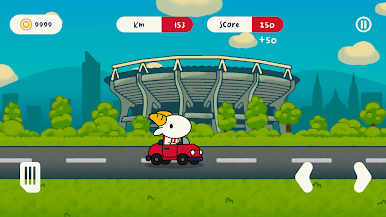
Drive, jump, and perform incredible maneuvers as you try to go further and further without damaging your vehicle.
Can you beat your own record?
ENDLESS MODE
The road never ends.
Drive as far as you can and test your skills as you try to rack up the most kilometers and perform the best stunts.
Every game is a new opportunity to beat your high scores.
Plus, as you play, you'll earn coins that you can use to customize your vehicle.
Race. Jump. Do stunts. Beat your record!
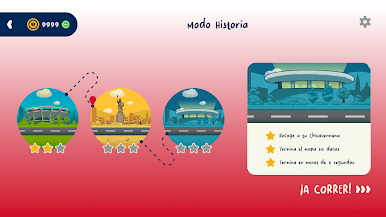
STORY MODE
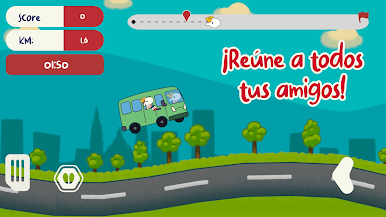
An adventure full of Chivas fans and challenges awaits you.
Travel through iconic locations in Mexico as you drive a truck and complete a special mission:
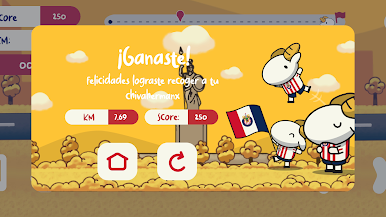
Pick up all your Chivas fans and take them to the stadium!
But reaching the destination won't be enough.
Perform stunts in each level to earn stars and show off your driving skills.
Each level has 3 stars to collect. Can you get them all?
CUSTOMIZE YOUR VEHICLE
Make your go-kart unique.
Change its color and get fun accessories to give it your own style.
Unlock items like antennas, bows, and stickers and create a combination that represents your personality.
BEAT YOUR RECORDS
Every game counts.
Check your best times, review your achievements, and discover everything you've accomplished during your adventure.
Try to improve your distance and stunt records, get all the stars in Story Mode, and complete your achievements.
Start your engine, gather your friends, and hit the track!
FEATURES
• Endless Mode to beat your own records
• Story Mode with 3 levels
• Iconic Mexican landmarks
• Stunts and challenges
• Star system
• Vehicle customization
• Accessories for your go-kart
• Distance and stunt records
• Achievement system
Play Chivas: Pa' La Cancha on PC. It’s easy to get started.
-
Download and install BlueStacks on your PC
-
Complete Google sign-in to access the Play Store, or do it later
-
Look for Chivas: Pa' La Cancha in the search bar at the top right corner
-
Click to install Chivas: Pa' La Cancha from the search results
-
Complete Google sign-in (if you skipped step 2) to install Chivas: Pa' La Cancha
-
Click the Chivas: Pa' La Cancha icon on the home screen to start playing

