


Crafty Blox World
Play on PC with BlueStacks – the Android Gaming Platform, trusted by 500M+ gamers.

Page Modified on: Jul 16, 2026
Play Crafty Blox World on PC
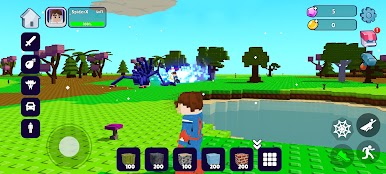
Step into a limitless pixelated universe where your creativity meets intense action! Crafty Blox World is an open-world sandbox simulator that combines the freedom of building with thrilling combat and survival elements. Whether you want to design massive structures or gear up to fight dangerous monsters, this blocky world has it all!
BUILD YOUR DREAM WORLD
Unleash your imagination with an extensive crafting and building system. Gather resources, mine materials, and place blocks to create anything from simple pixel shelters to majestic blocky castles. Shape the terrain and design your unique base down to the very last block.
ACTION, WEAPONS & COMBAT
This isn't just a peaceful building simulator—prepare for a challenge! Arm yourself with an arsenal of powerful weapons, from sharp melee swords to explosive firearms and bombs. Defend your territory against waves of fearsome monsters and hostile creatures that roam the land.
EXPLORE & SURVIVE
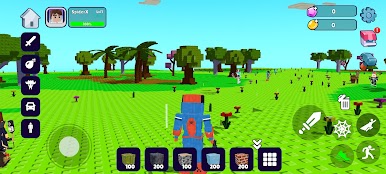
Venture into diverse voxel landscapes filled with secrets, hidden materials, and unique biomes. Meet friendly villagers, tame mounts to travel faster, and discover mysterious ecosystems. Adapt, craft better gear, and conquer the ultimate survival test!
KEY FEATURES:
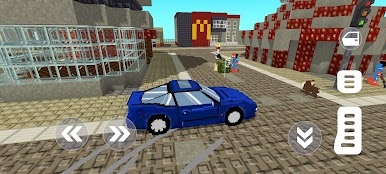
Massive Sandbox Freedom: Craft, build, and destroy in a fully interactive 3D voxel world.
Dynamic Action Combat: Fight monsters using unique weapons, guns, and explosives.
Rich Ecosystem: Encounter various friendly creatures, unique animals, and dangerous enemies.
Character Customization: Personalize your character with cool skins and unique accessories.
Smooth Mobile Optimization: Enjoy colorful blocky graphics and intuitive controls tailored for your device.
The horizon is waiting for you. Download Crafty Blox World now, grab your weapons, and start building your legacy today!
Play Crafty Blox World on PC. It’s easy to get started.
-
Download and install BlueStacks on your PC
-
Complete Google sign-in to access the Play Store, or do it later
-
Look for Crafty Blox World in the search bar at the top right corner
-
Click to install Crafty Blox World from the search results
-
Complete Google sign-in (if you skipped step 2) to install Crafty Blox World
-
Click the Crafty Blox World icon on the home screen to start playing

