


Crafty Survival: Blox World
Play on PC with BlueStacks – the Android Gaming Platform, trusted by 500M+ gamers.

Page Modified on: Oct 6, 2026
Play Crafty Survival: Blox World on PC
Welcome to Crafty Survival: Blox World, an exciting 3D voxel sandbox adventure game on mobile! Step into a vibrant blocky world full of endless building possibilities. Gather wood and stone, construct strong fortresses, and defend your base against hostile monsters when night falls.
Whether you enjoy designing beautiful structures or testing your survival skills against night hazards, Crafty Survival: Blox World offers pure sandbox fun!
🔥 KEY GAME FEATURES
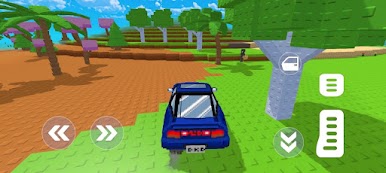
Vibrant 3D Voxel Sandbox World: Explore sunny forests and grassy plains filled with rich block resources.
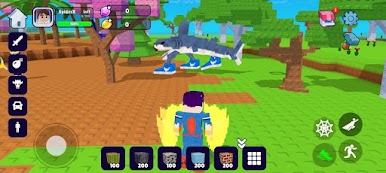
Easy Block Mining & Building: Break blocks with simple taps and place them freely to build cozy houses, tall towers, or giant fortresses.
Thrilling Nighttime Survival: Build your shelter before sunset to stay safe and fight off dangerous night monsters.
Dual Engaging Game Modes:
Survival Mode: Gather resources, construct your defenses, and survive monster waves through the night.
Creative Mode: Enjoy unlimited blocks and free flying to build whatever you want without any danger!
Smooth & Intuitive Mobile Controls: Simple virtual joystick movement, easy block placement, and smooth 360-degree camera rotation.
Colorful Pixel Graphics: Bright blocky visual designs, cute character models, and fun sound effects optimized for mobile devices.
Play Offline Anywhere: Enjoy full block building and survival action offline without needing an active internet connection.
🎮 HOW TO PLAY
Mine & Gather: Harvest wood, stone, and building blocks across the open map.
Build Your Base: Place blocks to construct a secure house or castle before nightfall.
Survive the Night: Stay inside your fortress, dodge night monsters, and rule the blox world!
Are you ready to mine, build your shelter, and conquer the blox world?
👉 Download Crafty Survival: Blox World today and start your block survival journey!
Play Crafty Survival: Blox World on PC. It’s easy to get started.
-
Download and install BlueStacks on your PC
-
Complete Google sign-in to access the Play Store, or do it later
-
Look for Crafty Survival: Blox World in the search bar at the top right corner
-
Click to install Crafty Survival: Blox World from the search results
-
Complete Google sign-in (if you skipped step 2) to install Crafty Survival: Blox World
-
Click the Crafty Survival: Blox World icon on the home screen to start playing

