


PIE GAME: 99 NIGHTS WITH SQUID
Play on PC with BlueStacks – the Android Gaming Platform, trusted by 500M+ gamers.

Page Modified on: Nov 3, 2025
Main PIE GAME: 99 NIGHTS WITH SQUID on PC
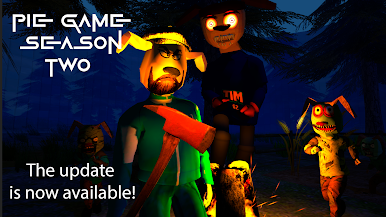
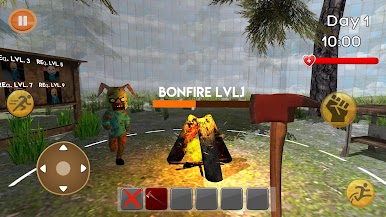
The second season is also available to you, in which you will have to live 99 nights in the wilderness, where every morning is a chance to survive, and every night is a test. Harvest resources, build shelters, make bonfires, hunt, defend yourself from predators and... from Timokha himself when he starts behaving strangely. 🐻🌌
You will find: Squid game, 5 nights with Timokha, horror, survival, quest, animatronics, deadly challenges, horror, night hunt, scary game, puzzles, thriller, survival game, atmosphere of fear, adrenaline, survival, horror, adventure, forest, Timokha, survive 99 nights, survival in forest, survival simulator, mysticism, psychology, horror, loneliness, atmosphere, bonfires, dangers, story, story game.





Play PIE GAME: 99 NIGHTS WITH SQUID on PC. It’s easy to get started.
-
Download and install BlueStacks on your PC
-
Complete Google sign-in to access the Play Store, or do it later
-
Look for PIE GAME: 99 NIGHTS WITH SQUID in the search bar at the top right corner
-
Click to install PIE GAME: 99 NIGHTS WITH SQUID from the search results
-
Complete Google sign-in (if you skipped step 2) to install PIE GAME: 99 NIGHTS WITH SQUID
-
Click the PIE GAME: 99 NIGHTS WITH SQUID icon on the home screen to start playing

