


Makeover Lab: Cosplay Time
Play on PC with BlueStacks – the Android Gaming Platform, trusted by 500M+ gamers.

Page Modified on: Jul 16, 2026
Play Makeover Lab: Cosplay Time on PC or Mac
Makeover Lab: Cosplay Time by ABI GAME has plenty to keep you busy. BlueStacks lets you play it on PC or Mac with more screen space, better control, and fewer mobile limits.
About the Game
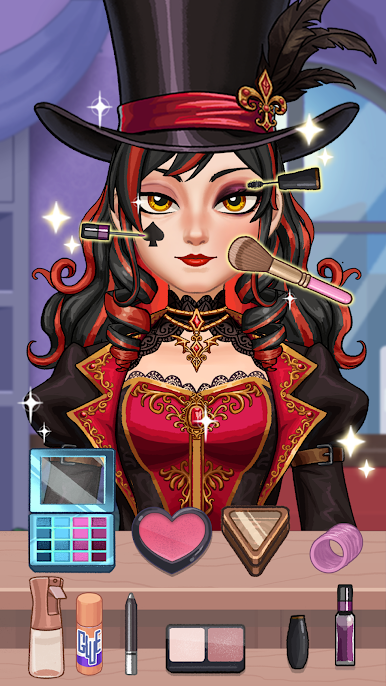
Makeover Lab: Cosplay Time is a cozy Simulation where you turn everyday characters into standout cosplay stars. Play around with makeup, hairstyles, outfits, and DIY props to build looks inspired by anime, fairytales, heroes, villains—you name it. It’s calm, hands-on, and oh-so-satisfying with soft ASMR touches; you can even enjoy it on PC with BlueStacks if you prefer a desk setup.
Game Features
- Big Cosplay Closet: Mix and match dresses, capes, streetwear, shoes, wigs, and jewelry to nail the exact vibe you’re going for.
- Expressive Makeup Tools: Blend eyeshadow, flick eyeliner, pick the right lipstick, add blush, and freshen up with skincare tools for that flawless finish.
- Satisfying Hair Studio: Wash, cut, curl, and dye; from pastel bobs to princess waves, build a hairstyle that ties the whole look together.
- DIY Props & Accessories: Craft wands, crowns, wings, and other cosplay props, then paint and decorate them to match your outfit.
- Comforting ASMR Moments: Gentle taps, brush strokes, and smooth animations make every step—from brushing to styling—feel relaxing.
- Character Variety: Style sweet anime girls, fairytale royalty, gothic queens, and scene-stealing villains with totally different aesthetics.
- Endless Combos: Layer makeup, hair, outfits, and accessories to create unique looks that never feel like repeats.
- Easy, Chill Gameplay: Hop in for a quick makeover or settle in for a full transformation—no pressure, just creative fun.
- Polished Visuals: Clean, colorful graphics and cozy vibes keep the focus on your creations without distractions.
Get ready for a buttery smooth, high-performance gaming action only on BlueStacks.






Play Makeover Lab: Cosplay Time on PC. It’s easy to get started.
-
Download and install BlueStacks on your PC
-
Complete Google sign-in to access the Play Store, or do it later
-
Look for Makeover Lab: Cosplay Time in the search bar at the top right corner
-
Click to install Makeover Lab: Cosplay Time from the search results
-
Complete Google sign-in (if you skipped step 2) to install Makeover Lab: Cosplay Time
-
Click the Makeover Lab: Cosplay Time icon on the home screen to start playing

