


Tractor Game Driving Simulator
Play on PC with BlueStacks – the Android Gaming Platform, trusted by 500M+ gamers.

Page Modified on: Mar 16, 2026
Play Tractor Game Driving Simulator on PC
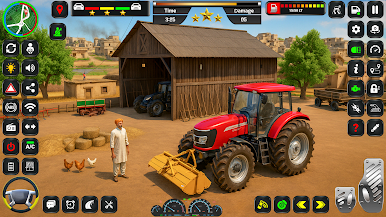
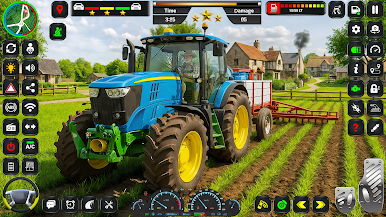
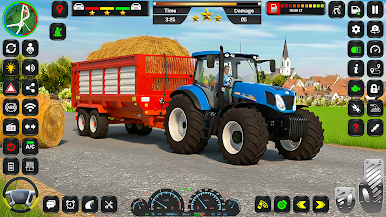
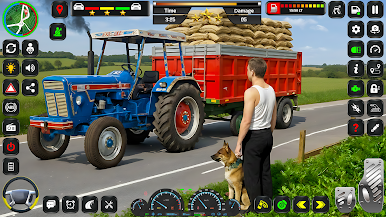
Tractor Game – Village Life Driving Simulator brings you a realistic village experience with exciting tractor, jeep, and harvester driving missions. Step into the life of a farmer and complete multiple challenging levels filled with real village tasks, city deliveries, and heavy vehicle driving.
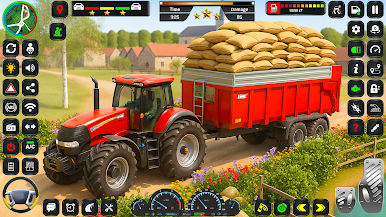
In Level 1, you drive a tractor to transport plants from the village and carefully deliver them to a flower shop in the city. This level introduces smooth tractor driving and realistic cargo delivery gameplay.
In Level 2, the farmer drives a harvester to the field, harvests crops, and loads them into a trolley. After loading, you drive the tractor trolley from the field to the city warehouse, experiencing realistic crop harvesting and transport missions.
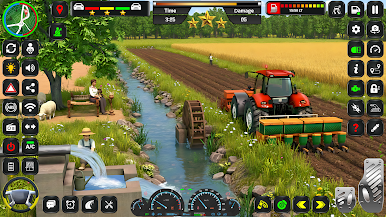
In Level 3, the farmer takes the tractor to the field to start the tubewell, but the tractor runs out of fuel. The player then uses a jeep to travel to the fuel station, brings fuel back, starts the tractor, and runs the tubewell. This level adds a unique fuel management and vehicle switching experience.
In Level 4, the farmer’s tractor has become old. To get a new tractor, the farmer drives a jeep, buys a new tractor, and brings it to the village. With the new tractor, players can enjoy smoother tractor driving and Transport Missions
In Level 5, the farmer cuts trees, loads them into a tractor trolley, and delivers the cargo to the designated area, completing heavy load transport tasks in the village
Experience the true village life in this tractor and heavy vehicle simulator! Operate tractors, trolleys, jeeps, and harvesters across realistic fields, villages, and city roads
Realistic village environment
Multiple vehicles: Tractor, Jeep, Harvester
Challenging farming and transport missions
Smooth control
Your feedback is important to us. Please share your valuable feedback to help us improve the game.
Play Tractor Game Driving Simulator on PC. It’s easy to get started.
-
Download and install BlueStacks on your PC
-
Complete Google sign-in to access the Play Store, or do it later
-
Look for Tractor Game Driving Simulator in the search bar at the top right corner
-
Click to install Tractor Game Driving Simulator from the search results
-
Complete Google sign-in (if you skipped step 2) to install Tractor Game Driving Simulator
-
Click the Tractor Game Driving Simulator icon on the home screen to start playing

