


Belajar Iqro dengan Audio
Play on PC with BlueStacks – the Android Gaming Platform, trusted by 500M+ gamers.

Page Modified on: Mar 10, 2024
Run Belajar Iqro dengan Audio on PC or Mac
Multitask effortlessly on your PC or Mac as you try out Belajar Iqro dengan Audio, a Education app by AiraSoft on BlueStacks.
About the App
Looking to help your child (or maybe even yourself) get started with reading the Qur’an? Belajar Iqro dengan Audio by AiraSoft is here to make that journey simpler—and a bit more colorful. The app’s packed with bright visuals, kid-friendly audio, and easy steps that guide you through the basics, no matter your age. Whether you’re learning your first Arabic letters or brushing up on your recitation, the path feels less intimidating.
App Features
-
Beginner-Friendly Levels
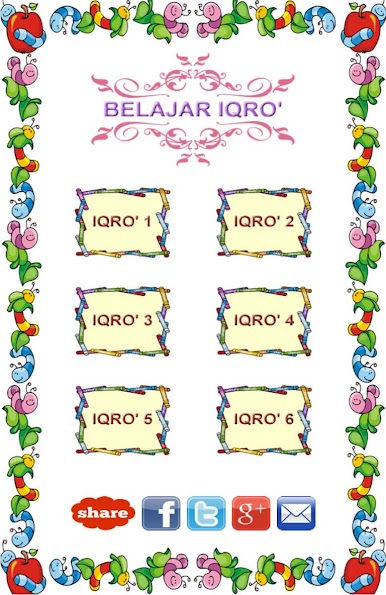
The lessons are broken down into six levels, Iqro’ 1 through Iqro’ 6 (with the last one on its way). Each stage takes you a bit further, starting with individual letters and moving up to more advanced recitation concepts. -
Engaging Audio Guidance
Hear how the words should sound—each lesson comes with audio read by kids, making it especially approachable for beginners who want to follow along and practice pronunciation. -
Colorful Visuals and Simple Design
Visuals aren’t just eye candy. The app uses bright images and clear colors to hold attention, especially for younger learners, while the layout keeps everything uncluttered and straightforward. -
Step-by-Step Arabic Letter Learning
Start with the basic Hijaiyah alphabet and slowly build your reading skills, moving through different types of sounds, connecting letters, and common recitation rules as you go. -
Flexible Device Compatibility
Designed for smartphones and tablets, Belajar Iqro dengan Audio adjusts itself to different screen sizes, so lessons look good wherever you decide to study—even if you’re running Android 2.3.3 or using something more current. -
Progress for All Ages
Although it’s especially friendly for children, adults new to Qur’an reading will find the step-by-step style just as useful. No need to feel left out if you’re picking up these skills later. -
Subtle Integration with BlueStacks
Prefer using apps on your computer? Belajar Iqro dengan Audio works smoothly with BlueStacks, so you can go through lessons on a bigger screen at your own pace.
Switch to BlueStacks and make the most of your apps on your PC or Mac.











Play Belajar Iqro dengan Audio on PC. It’s easy to get started.
-
Download and install BlueStacks on your PC
-
Complete Google sign-in to access the Play Store, or do it later
-
Look for Belajar Iqro dengan Audio in the search bar at the top right corner
-
Click to install Belajar Iqro dengan Audio from the search results
-
Complete Google sign-in (if you skipped step 2) to install Belajar Iqro dengan Audio
-
Click the Belajar Iqro dengan Audio icon on the home screen to start playing

