


Craftsman 2: Building Craft
Play on PC with BlueStacks – the Android Gaming Platform, trusted by 500M+ gamers.

Page Modified on: Mar 10, 2026
Play Craftsman 2: Building Craft on PC
Experience the best craftsman simulator. Build your dream world, from the smallest cottage to the most majestic castle. Start your journey today!
Game Features:
- Creative Sandbox: Unlimited resources to build anything you can imagine.
- Crafting Survival Mode: Survive the night, craft powerful weapons, and protect your base from enemies.
- Multiplayer Adventure: Join servers and play with friends in a massive pixel world.
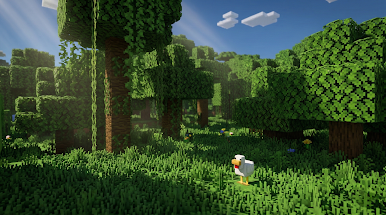
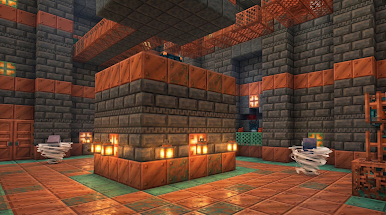
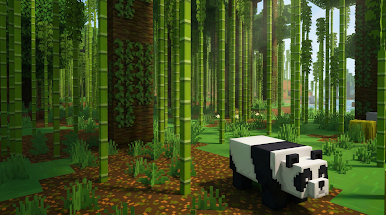
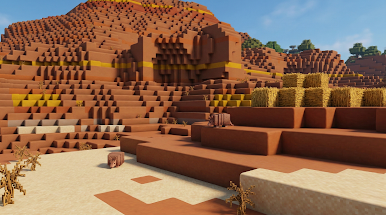
- Stunning Pixel Graphics: Enjoy high FPS and smooth 3D visuals for a better building experience.
- Deep Exploration: Discover unique animals, plants, and hidden biomes in an infinite world.
- Total Freedom: A 3D simulator where you choose your own path—be a master builder or a brave explorer.
Master Your Craft
In Craftsman 2: Building Craft, you can create specialized tools and blocks to construct unique equipment. Show off your architectural skills by building entire cities and villages. The world is generated in real-time, providing a fresh adventure every time you play.
Survive and Thrive
In survival mode, a true craftsman must be resourceful. Collect materials, craft armor, and stay safe from threats during the night. It’s a game of strategy, skill, and creativity.
Are you ready to start your crafting survival journey? Download now and dominate the world of Craftsman 2: Building Craft!
Play Craftsman 2: Building Craft on PC. It’s easy to get started.
-
Download and install BlueStacks on your PC
-
Complete Google sign-in to access the Play Store, or do it later
-
Look for Craftsman 2: Building Craft in the search bar at the top right corner
-
Click to install Craftsman 2: Building Craft from the search results
-
Complete Google sign-in (if you skipped step 2) to install Craftsman 2: Building Craft
-
Click the Craftsman 2: Building Craft icon on the home screen to start playing

