


Anker
Play on PC with BlueStacks – the Android Gaming Platform, trusted by 500M+ gamers.

Page Modified on: Nov 22, 2025
Run Anker on PC or Mac
Let BlueStacks turn your PC, Mac, or laptop into the perfect home for Anker, a fun Tools app from Anker.
About the App
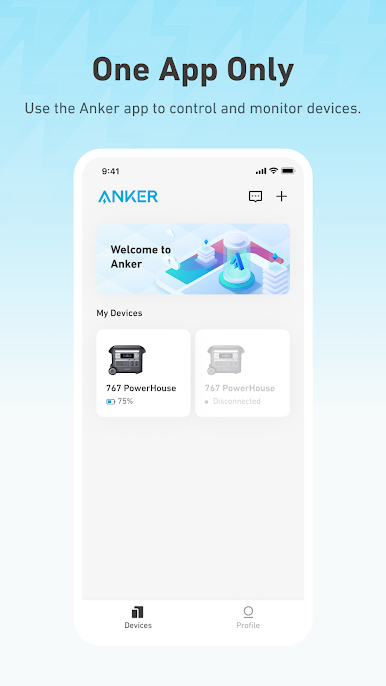
Ever wish you could keep tabs on your energy devices without running around or digging through menus? The Anker app makes it almost too easy to monitor and manage your Anker tools, right from your phone. Whether you’ve got power banks, solar panels, or outdoor storage gear, this app brings them all together for hands-on control—no matter where you are.
App Features
-
Remote Device Control
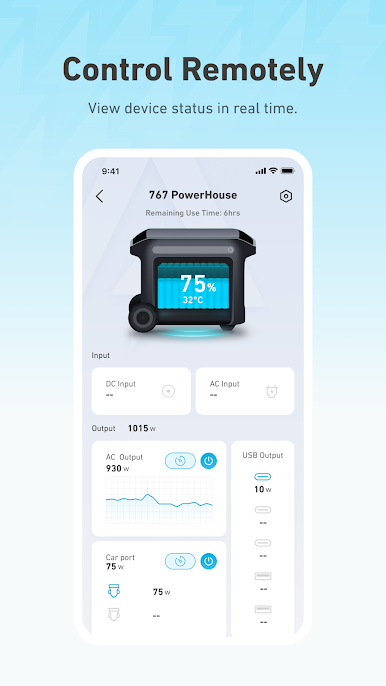
Take charge of your compatible Anker gadgets even when you’re miles away. Flip devices on or off, tweak their settings, or adjust their output without having to be right next to them. -
Quick Status Updates
Glance at your dashboard to instantly see how your devices are holding up. Spot which ones are running, which ones need a boost, and make changes with just a tap. -
Effortless Updates
No more searching for firmware updates on random websites. The Anker app sends software upgrades over the air, so keeping your gear current is no sweat. -
Broad Device Support
Got a bunch of different Anker products? This app plays nice with a wide list, like the PowerHouse series, SOLIX solar banks, microinverters, and even smart plugs and chargers. -
Convenience on Bigger Screens
Using BlueStacks, you can manage your Anker lineup on your PC, letting you see all your devices on a larger display with the same simple controls.
BlueStacks brings your apps to life on a bigger screen—seamless and straightforward.
Play Anker on PC. It’s easy to get started.
-
Download and install BlueStacks on your PC
-
Complete Google sign-in to access the Play Store, or do it later
-
Look for Anker in the search bar at the top right corner
-
Click to install Anker from the search results
-
Complete Google sign-in (if you skipped step 2) to install Anker
-
Click the Anker icon on the home screen to start playing

