


Yatzy Frenzy: Fun Classic Dice
Play on PC with BlueStacks – the Android Gaming Platform, trusted by 500M+ gamers.

Page Modified on: Mar 1, 2026
Play Yatzy Frenzy: Fun Classic Dice on PC
A single roll sparks nonstop fun. Dive into intense dice battles anytime, anywhere.
🌐 Real-Time Matches Against Players Worldwide
Instantly duel with global opponents—every game brings a fresh, heated challenge.
In fast-paced competition, outsmart your rivals and take the lead with sharp choices.
🎯 Strategy & Luck Combined
Every move decides the fight. Plan every roll carefully.
Easy to learn, simple to start, but full of deep strategy and thrilling tactics.
🚀 Chase High Scores & Break Records
Build the strongest dice combos within limited rolls and keep smashing the scoreboard.
Dominate the game with real skill and feel the rush of staying on top.
🍃 Relax, Unwind & Have a Blast
Perfect for quick sessions—kills time and sharpens your mind at the same time.
Super addictive, endlessly fun, with a satisfying win every round.
🏆 Download Now & Join the Dice Carnival!
Mix wits with luck, top the leaderboards, rule the rankings, and become the ultimate Dice Champion!



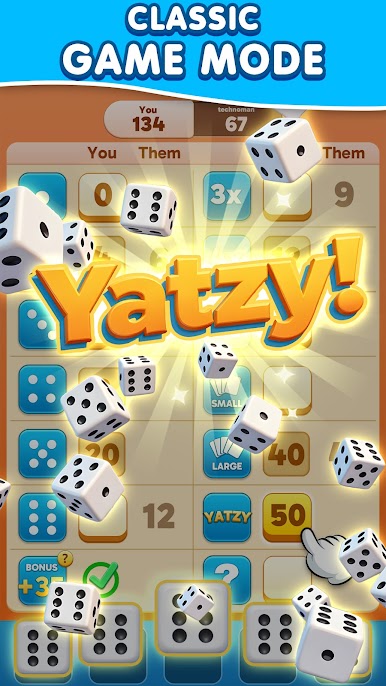

Play Yatzy Frenzy: Fun Classic Dice on PC. It’s easy to get started.
-
Download and install BlueStacks on your PC
-
Complete Google sign-in to access the Play Store, or do it later
-
Look for Yatzy Frenzy: Fun Classic Dice in the search bar at the top right corner
-
Click to install Yatzy Frenzy: Fun Classic Dice from the search results
-
Complete Google sign-in (if you skipped step 2) to install Yatzy Frenzy: Fun Classic Dice
-
Click the Yatzy Frenzy: Fun Classic Dice icon on the home screen to start playing

