


Special Ops Force
Play on PC with BlueStacks – the Android Gaming Platform, trusted by 500M+ gamers.

Page Modified on: Jan 29, 2026
Play Special Ops Force on PC
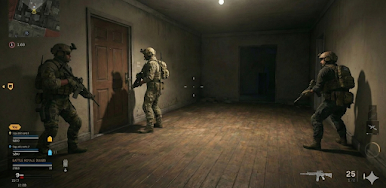
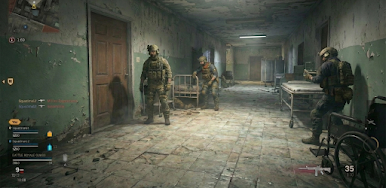
Explore detailed environments while completing objectives that emphasize observation, timing, and smart decision-making. The game combines smooth first-person controls with carefully structured missions, making it ideal for players who enjoy strategic gameplay at a relaxed and steady pace. From long-range targeting to close-range interactions, each mission offers a balanced and immersive experience.
Features – Special Ops Force
• A wide selection of modern equipment and tools
• Objective-based missions with clear progression
• Smooth controls and realistic interaction mechanics
• Support items such as recovery packs and supplies
• High-quality 3D visuals with detailed locations
Advance through a variety of missions that gradually introduce new challenges and environments. Upgrade your gear, refine your strategy, and enjoy a satisfying sense of progress as you move forward in the game.
Special Ops Force delivers a calm yet engaging first-person experience that blends strategy, exploration, and interactive gameplay. Whether you enjoy precise control or completing objectives at your own pace, this experience offers an accessible and enjoyable way to explore first-person gameplay.
🎮 Download Special Ops Force and enjoy a smooth, immersive experience anytime, anywhere.



Play Special Ops Force on PC. It’s easy to get started.
-
Download and install BlueStacks on your PC
-
Complete Google sign-in to access the Play Store, or do it later
-
Look for Special Ops Force in the search bar at the top right corner
-
Click to install Special Ops Force from the search results
-
Complete Google sign-in (if you skipped step 2) to install Special Ops Force
-
Click the Special Ops Force icon on the home screen to start playing

