


Hello Coffee Shop: cafe game
Play on PC with BlueStacks – the Android Gaming Platform, trusted by 500M+ gamers.

Page Modified on: Jun 12, 2026
Main Hello Coffee Shop: cafe game on PC
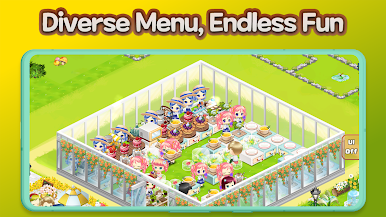
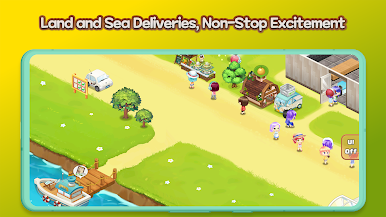
☕ Sell your coffee and desserts to customers in your shop, or earn gold and experience through takeout, smart car delivery, and boat orders.
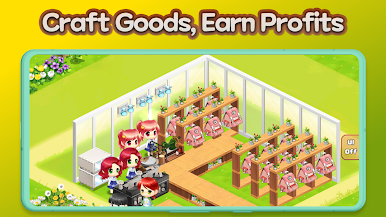
🛠️ Use gold and parts to expand your shop and hire and upgrade staff for more efficient operations.
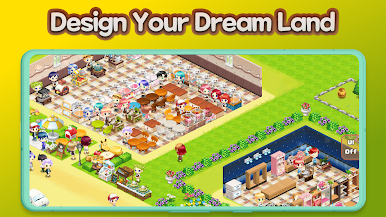
🎨 Create a unique shop with various decoration items and staff costumes.
🏆 Hello Coffee Shop's Unique Features
1️⃣ Online Sales: In online mode, customers visit your shop, enjoy coffee and desserts, and make purchases.
2️⃣ Maximize your profit by utilizing various sales methods, including in-store sales, takeout, smart car delivery, and boat orders.
3️⃣ The higher your shop's reputation, the more customers you'll attract. Increase your reputation through decorations, staff costumes, and various upgrades.
4️⃣ Pass shop grade tests to unlock new content such as fruit juice stands, smart car delivery, boat orders, a merchandise shop, and a BBQ shop.
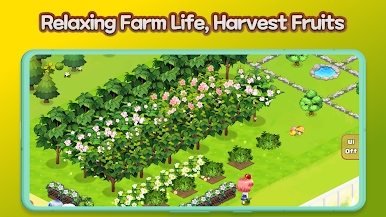
5️⃣ Expand your business beyond your coffee shop by opening a fruit juice stand, merchandise shop, and BBQ shop. Transform a vast garden into your own orchard bursting with fresh fruits!
6️⃣ Team up with your franchise and conquer missions together!

Play Hello Coffee Shop: cafe game on PC. It’s easy to get started.
-
Download and install BlueStacks on your PC
-
Complete Google sign-in to access the Play Store, or do it later
-
Look for Hello Coffee Shop: cafe game in the search bar at the top right corner
-
Click to install Hello Coffee Shop: cafe game from the search results
-
Complete Google sign-in (if you skipped step 2) to install Hello Coffee Shop: cafe game
-
Click the Hello Coffee Shop: cafe game icon on the home screen to start playing

