


Steal A Brainrot Battle
Play on PC with BlueStacks – the Android Gaming Platform, trusted by 500M+ gamers.

Page Modified on: Feb 9, 2026
Play Steal A Brainrot Battle on PC or Mac
Steal A Brainrot Battle brings the Strategy genre to life, and throws up exciting challenges for gamers. Developed by AR Anlaytics Ltd, this Android game is best experienced on BlueStacks, the World’s #1 app player for PC and Mac users.
About the Game
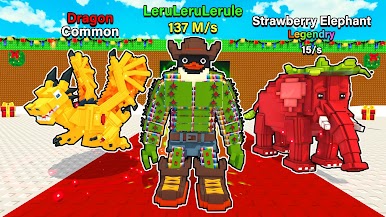
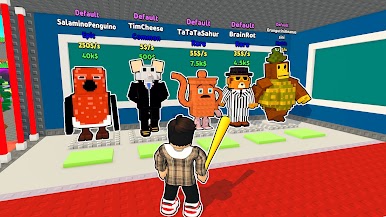
Steal A Brainrot Battle is a fast, cheeky Strategy scramble from AR Anlaytics Ltd where weird little creatures are your ticket to winning. You’ll slip into enemy turf, snatch Brainrots, and sprint back to your base while keeping your own stash on lockdown. Every match is a tug-of-war of timing, routes, and gutsy steals that rewards bold moves and smarter plans.
Game Features
- Catch and stash: Scoop up roaming Brainrots across colorful arenas, then haul them home to grow your collection and lock in points.
- Risky raids: Sneak into rival zones to pinch their Brainrots—go greedy for big swings or play it safe with quick grabs. One mistake, and you drop the lot.
- Smart upgrades: Tune your style with boosts to speed, carry strength, and base defenses. Be the lightning runner, the tanky hauler, or the rock-solid guardian.
- Oddball roster: Unlock dozens of hilarious, meme-flavored Brainrots that bring personality—and a little chaos—to every match.
- Smooth, snappy controls: Responsive movement and clean catches keep the focus on pathing, timing, and outplaying opponents.
- Play at your pace: Perfect for quick skirmishes or longer sessions; the loop stays punchy, whether you’ve got five minutes or fifty.
- Lively arenas: Bright maps packed with shortcuts, choke points, and cheeky surprises that reward map knowledge and bold routes.
- Compete and outthink: Bait chases, fake retreats, coordinate raids—mind games can swing the scoreboard fast.
- Subtle PC edge: Prefer precision? Steal A Brainrot Battle plays great on BlueStacks, so clean escapes and sharp turns feel even better.
Ready to top the leaderboard? We bet you do. Let precise controls and sharp visuals optimized on BlueStacks lead you to victory.





Play Steal A Brainrot Battle on PC. It’s easy to get started.
-
Download and install BlueStacks on your PC
-
Complete Google sign-in to access the Play Store, or do it later
-
Look for Steal A Brainrot Battle in the search bar at the top right corner
-
Click to install Steal A Brainrot Battle from the search results
-
Complete Google sign-in (if you skipped step 2) to install Steal A Brainrot Battle
-
Click the Steal A Brainrot Battle icon on the home screen to start playing

