


Steal A Brainrot Battle
Play on PC with BlueStacks – the Android Gaming Platform, trusted by 500M+ gamers.

Page Modified on: Feb 9, 2026
Main Steal A Brainrot Battle on PC
🧠 Catch, Collect & Outsmart
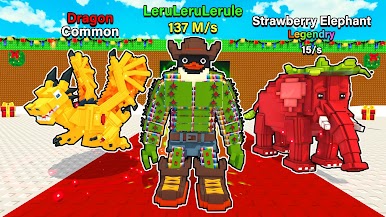
- Collect funny and bizarre Brainrots across colorful arenas.
- Move smartly between rival zones and bring Brainrots back safely.
- Collect more Brainrots than your opponents and lead the battle.
🕹 How It Works
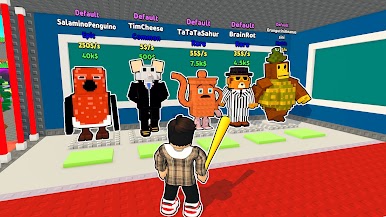
- Capture Brainrots roaming the battlefield.
- Carry them back to your base to strengthen your collection.
- Sneak into enemy zones and steal Brainrots, but stay alert!
- Upgrade speed, carry power, and defenses to stay ahead.
- Outsmart rivals in fast, chaotic Brainrot battles.
✨ Game Features
- Unlock dozens of unique, hilarious Brainrots.
- Smooth steal and catch gameplay with easy, responsive controls.
- Upgrade your abilities to improve strategy and dominate matches.
- Fun, lighthearted battles designed for quick or long play sessions.
- Explore vibrant arenas full of surprises and meme chaos.
🎮 Play Your Way
Collect, defend, or raid, each match delivers action, humor, and unexpected moments. Compete with others, upgrade your Brainrots, and prove you’re the ultimate Brainrot master.
Play now Steal A Brainrot Battle now and start your chaotic Brainrot adventure today!





Play Steal A Brainrot Battle on PC. It’s easy to get started.
-
Download and install BlueStacks on your PC
-
Complete Google sign-in to access the Play Store, or do it later
-
Look for Steal A Brainrot Battle in the search bar at the top right corner
-
Click to install Steal A Brainrot Battle from the search results
-
Complete Google sign-in (if you skipped step 2) to install Steal A Brainrot Battle
-
Click the Steal A Brainrot Battle icon on the home screen to start playing

