


Archery Duel 3D
Play on PC with BlueStacks – the Android Gaming Platform, trusted by 500M+ gamers.

Page Modified on: Nov 7, 2026
Play Archery Duel 3D on PC
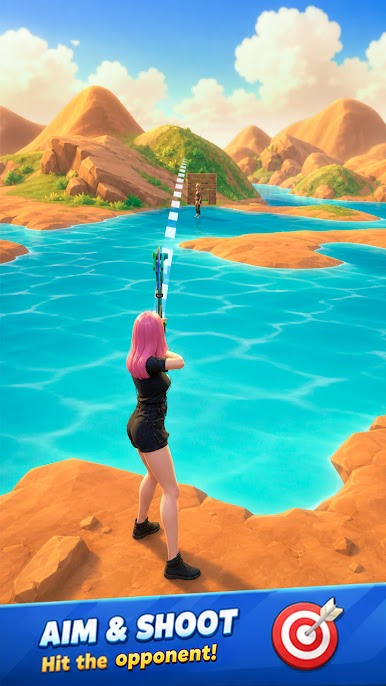
The game follows real projectile motion physics. You can freely adjust the shooting angle and plan the arrow’s flight path to hit targets precisely. Meanwhile, opponents keep shooting arrows back. The fast-paced offense and defense test your aiming judgement and on-the-spot adaptability.
It features many battle scenes with complex terrain and diverse styles. While aiming, you need to calculate environmental variables such as wind speed and shooting distance, and adapt to unique terrain features of each map. Repeatedly predict ballistic trajectories and calibrate aiming points to deliver a decisive killing blow and quickly finish off enemies.
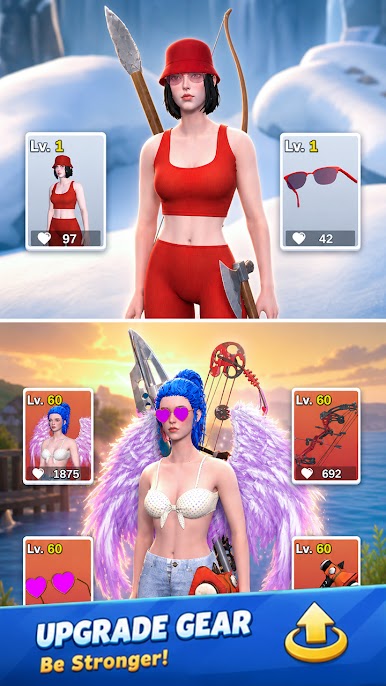
As battles go on, you unlock new maps, various weapons and rare skins to boost your combat power. Earn gold coins by defeating waves of foes, collect powerful gear to hone your archery skills, and finally become an unbeatable archery master.



Play Archery Duel 3D on PC. It’s easy to get started.
-
Download and install BlueStacks on your PC
-
Complete Google sign-in to access the Play Store, or do it later
-
Look for Archery Duel 3D in the search bar at the top right corner
-
Click to install Archery Duel 3D from the search results
-
Complete Google sign-in (if you skipped step 2) to install Archery Duel 3D
-
Click the Archery Duel 3D icon on the home screen to start playing

