


Arrow Craze Out
Play on PC with BlueStacks – the Android Gaming Platform, trusted by 500M+ gamers.

Page Modified on: Jun 23, 2026
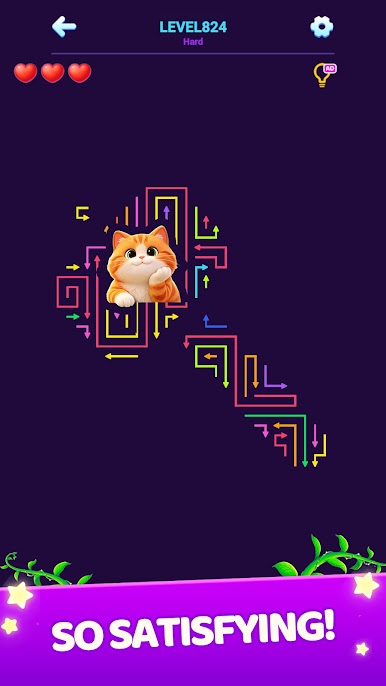
Play Arrow Craze Out on PC
🧩 Game Features
• Simple to learn, surprisingly deep to master
• Smart logic-based puzzles with increasing difficulty
• Unique arrow movement mechanics with satisfying chain reactions
• Clean and minimal visual style for a focused experience
• Relaxing gameplay with no time pressure
• Helpful hints when you get stuck
• Perfect for short play sessions or long puzzle runs
🧠 Why players love it
Each level is designed to make you think differently — not just faster.
You’ll plan ahead, experiment with paths, and feel the satisfaction of clearing a complex board step by step.
No stress. No timers. Just pure puzzle thinking.
🎯 Can you solve them all?
Only the smartest players can clear every level without mistakes.
Tap carefully… and find the perfect escape path."




Play Arrow Craze Out on PC. It’s easy to get started.
-
Download and install BlueStacks on your PC
-
Complete Google sign-in to access the Play Store, or do it later
-
Look for Arrow Craze Out in the search bar at the top right corner
-
Click to install Arrow Craze Out from the search results
-
Complete Google sign-in (if you skipped step 2) to install Arrow Craze Out
-
Click the Arrow Craze Out icon on the home screen to start playing

