


Arrow Heart: Beauty Reveal
Play on PC with BlueStacks – the Android Gaming Platform, trusted by 500M+ gamers.

Page Modified on: Mar 27, 2026
Main Arrow Heart: Beauty Reveal on PC
🌸 Features:
✔ Simple arrow-based puzzles that are easy to learn and satisfying to master
✔ Beauty reveals that reward smart, strategic moves
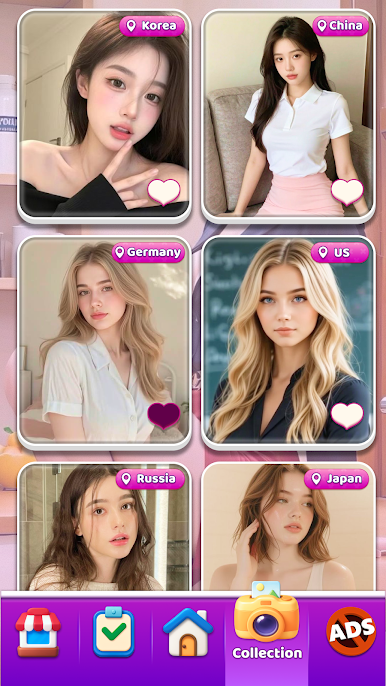
✔ Collect stunning beauty images as you progress through levels
✔ Hearts and smooth puzzle clears that feel rewarding every time
✔ Helpful hints when you need a gentle push
✔ Optional No Ads for uninterrupted, relaxed play
Whether you jump in for a quick session or play level after level, Arrow Heart: Beauty Reveal offers a smooth balance of brain-challenging puzzles and enticing visual rewards.
Download Arrow Heart: Beauty Reveal now to clear every arrow, protect every heart, and collect all the hidden beauties waiting to be revealed.





Play Arrow Heart: Beauty Reveal on PC. It’s easy to get started.
-
Download and install BlueStacks on your PC
-
Complete Google sign-in to access the Play Store, or do it later
-
Look for Arrow Heart: Beauty Reveal in the search bar at the top right corner
-
Click to install Arrow Heart: Beauty Reveal from the search results
-
Complete Google sign-in (if you skipped step 2) to install Arrow Heart: Beauty Reveal
-
Click the Arrow Heart: Beauty Reveal icon on the home screen to start playing

