


Alliance: Air War
Play on PC with BlueStacks – the Android Gaming Platform, trusted by 500M+ gamers.

Page Modified on: Sep 16, 2026
Main Alliance: Air War on PC
*** 14 million global downloads to date! ***
*** Download now and experience the thrill of aerial combat like never before! ***
ALLIANCE: AIR WAR - The ultimate flight simulation experience!
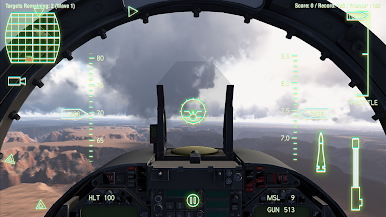
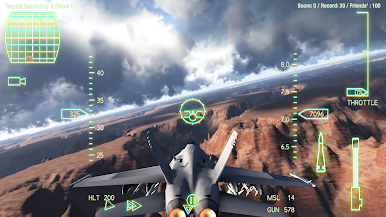
- Experience breathtaking, high-definition graphics and intense single- and multiplayer PvP action, all set against a rich backdrop of military aviation history and naval warfare!
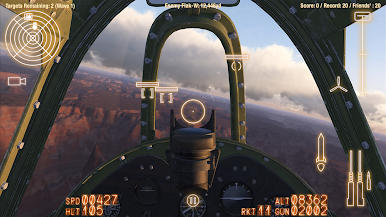
- Become an ace fighter and dogfight online or take on hordes of enemy war planes using machine guns, rockets, Vulcan cannons, and guided missiles!
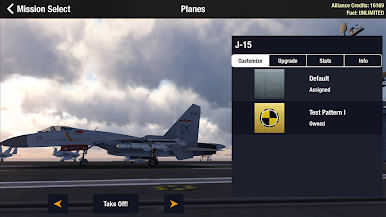
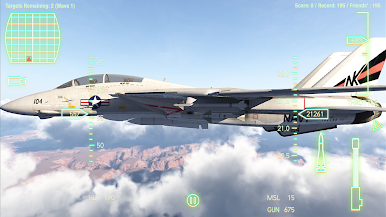
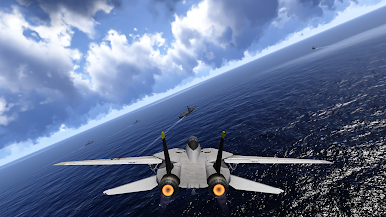
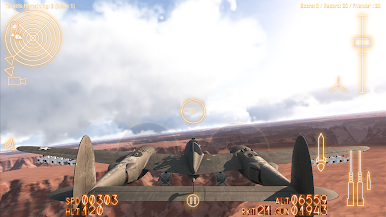
- Pilot a wide range of aircraft from the legendary propeller-driven fighter planes of World War II to advanced 5th generation supersonic fighter jets of tomorrow, spanning iconic aircraft like the P-51 Mustang, F-14 Tomcat, and F-22 Raptor. 33 planes and counting! See below for a full list.
- Earn Alliance Credits to upgrade your air force's flying dynamics, engines, armor, weaponry, and payload capacities.
- 7 different game modes to test your air combat pilot skills: Dogfighting, Fleet Attack, Fleet Defense, Ground Striking, Attack the Ace, Assassination, and Free Flight.
- Participate in action-packed daily quests for a truly engaging gaming experience.
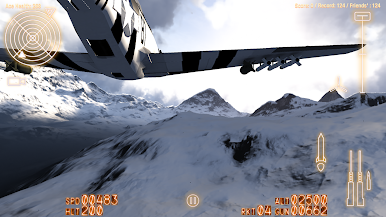
- Immerse yourself in rich, photorealistic 3D environments with stunning visuals, real 3D volumetric clouds, and realistic sound effects.
- Easy and smooth control options designed for players of all skill levels, from arcade to simulation level.
- Having any problems? We'd love to hear from you! Reach us at support@allianceairwar.com.
Progress enough and complete your whole fleet!...
- F6F
- A6M
- P-40
- P-38
- Supermarine Seafire / Spitfire
- Bf 109
- P-51
- Fw 190
- F4U
- F/A-18C
- F-1
- J-8II
- Tornado ADV F3
- F-5E
- MiG-29
- F-16C
- F-14A+
- A-10A
- Su-27S
- F-15C
- F-35C
- FA-50
- J-10
- F/A-18E
- J-31
- J-15
- F-2A
- Su-33
- EF 2000
- J-20
- F-3
- Su-57
- F-22A
Download it now and see why it's so good!

Play Alliance: Air War on PC. It’s easy to get started.
-
Download and install BlueStacks on your PC
-
Complete Google sign-in to access the Play Store, or do it later
-
Look for Alliance: Air War in the search bar at the top right corner
-
Click to install Alliance: Air War from the search results
-
Complete Google sign-in (if you skipped step 2) to install Alliance: Air War
-
Click the Alliance: Air War icon on the home screen to start playing

