


AW Player
Play on PC with BlueStacks – the Android Gaming Platform, trusted by 500M+ gamers.

Page Modified on: Sep 12, 2026
Main AW Player on PC
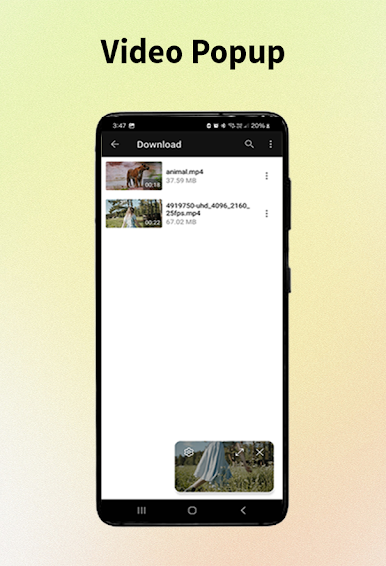
Whether you are watching videos stored on your device or streaming content through supported links, AW Player delivers high performance and stability.
🔹 Key Features
▶️ Smooth and high-quality video playback
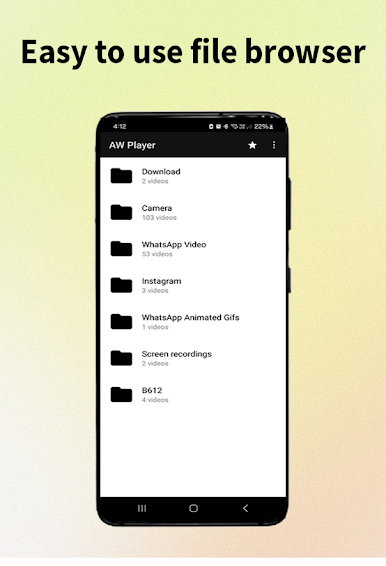
📂 Play local videos from internal and external storage
🌐 Support for online video links
⏯ Resume playback from where you left off
⚡ Fast, lightweight, and optimized for performance
🌙 Clean and simple user interface
🔄 Supports multiple video formats
🔹 Designed for Daily Use
AW Player is built for users who want a reliable video player without unnecessary complexity. It focuses on performance, simplicity, and a smooth user experience.
🔐 Privacy & Permissions
AW Player requests storage access only to scan and play your local video files.
This permission is required for the app’s core functionality and is not used to collect or share any personal data.
🚀 Why Choose AW Player?
Simple and intuitive design
Stable performance even with large video files
Regular updates and improvements
Download AW Player today and enjoy your videos with a smooth and reliable playback experience.

Play AW Player on PC. It’s easy to get started.
-
Download and install BlueStacks on your PC
-
Complete Google sign-in to access the Play Store, or do it later
-
Look for AW Player in the search bar at the top right corner
-
Click to install AW Player from the search results
-
Complete Google sign-in (if you skipped step 2) to install AW Player
-
Click the AW Player icon on the home screen to start playing

