


Start Running. Zero to 5K
Play on PC with BlueStacks – the Android Gaming Platform, trusted by 500M+ gamers.

Page Modified on: Nov 27, 2025
Play Start Running. Zero to 5K on PC
If you're looking to take up running but feel overwhelmed by distance, pace, or speed, don't worry! We'll think about all that later. Just listen to the instructions and run at your own comfortable pace.
Forget about focusing on perfect running technique right now. The most important thing is to get running and make it a habit.
Your primary goal is to gradually increase the amount of time you spend jogging. That's all that matters when you start to run with our app.
This app offers a fantastic alternative to traditional couch to 5K programs, focusing on building your running endurance.
Features:
✔ Your own personal running coach in your pocket
✔ An easy-to-follow training plan, a great alternative to couch to 5K (c25k)
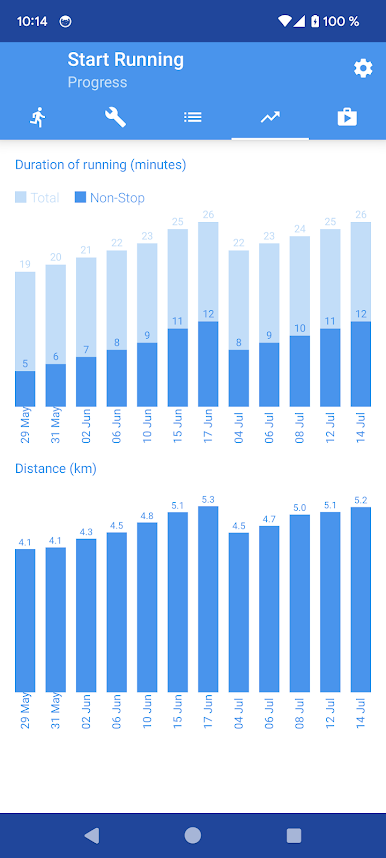
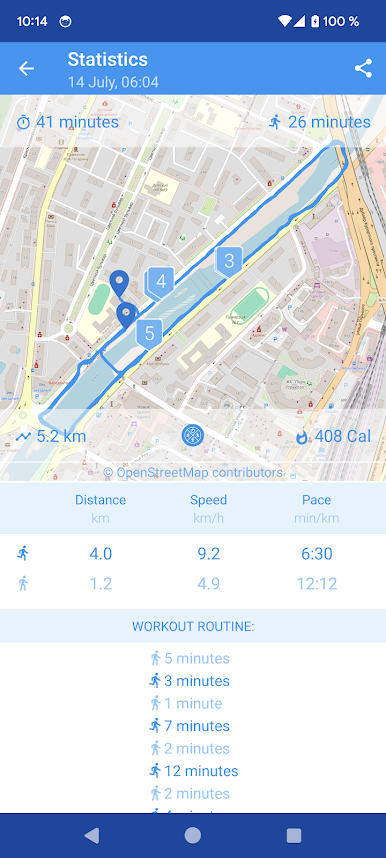
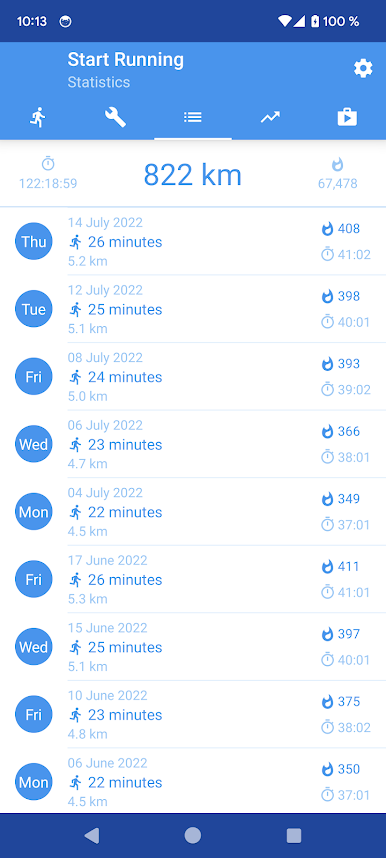
✔ Detailed stats for every workout you complete
✔ Track your distance, speed, and pace effortlessly
✔ See the GPS route of each and every run
✔ Built-in pedometer to count your steps
✔ Keep track of your calories burned
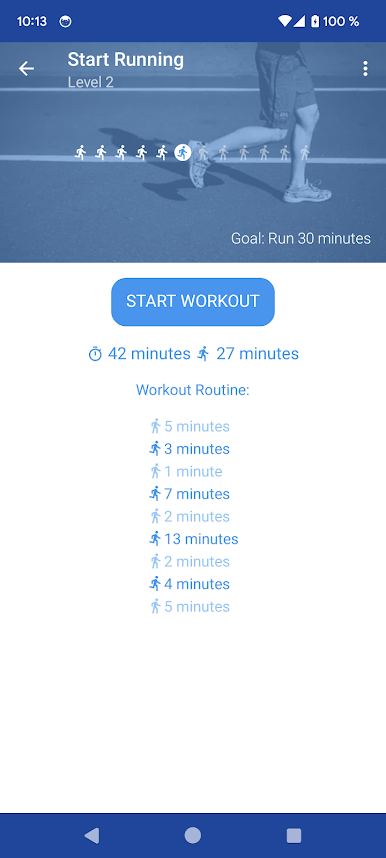
✔ Create your own custom workouts to fit your needs
✔ Helpful voice guidance to keep you on track
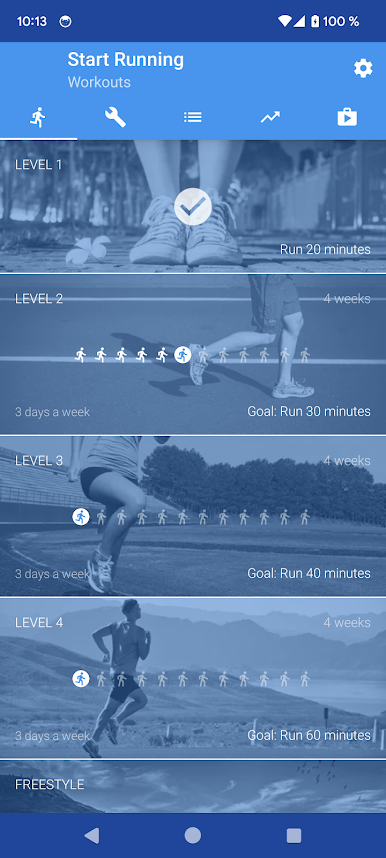
Our workout plan is broken down into 4 achievable levels. Each level has a clear goal for how long you should be able to jog continuously:
🏃 Level 1 Goal: Run for 20 minutes.
🏃 Level 2 Goal: Run for 30 minutes.
🏃 Level 3 Goal: Run for 40 minutes.
🏃 Level 4 Goal: Run for a full 60 minutes!
Each level is designed to last 4 weeks, with 3 workouts scheduled per week to help you progressively improve.
Join us and let's start running together!
Play Start Running. Zero to 5K on PC. It’s easy to get started.
-
Download and install BlueStacks on your PC
-
Complete Google sign-in to access the Play Store, or do it later
-
Look for Start Running. Zero to 5K in the search bar at the top right corner
-
Click to install Start Running. Zero to 5K from the search results
-
Complete Google sign-in (if you skipped step 2) to install Start Running. Zero to 5K
-
Click the Start Running. Zero to 5K icon on the home screen to start playing

