


Smurfs Cooking
Play on PC with BlueStacks – the Android Gaming Platform, trusted by 500M+ gamers.

Page Modified on: Dec 19, 2023
Play Smurfs - The Cooking Game on PC or Mac
Smurfs – The Cooking Game is a casual game developed by Azerion Casual. BlueStacks app player is the best platform to play this Android game on your PC or Mac for an immersive gaming experience.
Put on your chef hat as you step into the vibrant world of the Smurfs, where you’ll delight in cooking and serving smurfulous dishes to satisfy the appetites of your hungry Smurf friends.
As Chef Smurf, your culinary expertise will be put to the test as you whip up a variety of mouthwatering treats. From Smurfy Smurfberry Muffins to warm pancakes, sweet donuts, and even smurf berry pies, the Smurfs are counting on you to dazzle them with your culinary creations.
Dash from food truck to food truck, exploring the enchanting Smurf Village and unlocking a treasure trove of delicious recipes that will leave your taste buds dancing with delight.
But be wary, for the mischievous sorcerer Gargamel lurks in the shadows, ready to cast his malevolent spells on your food and items. Strengthen your defenses by upgrading your food truck kitchen and café, ensuring that Gargamel’s evil plans are no match for your culinary skills.
Papa Smurf, Smurfette, Clumsy, and all the Smurfs will flock to your food truck café, eagerly awaiting their favorite snacks. Your mission is to serve each Smurf the perfect dish, tailored to their preferences.



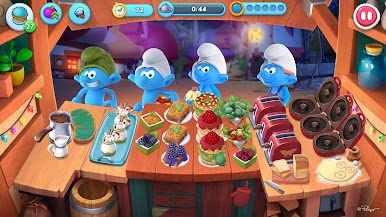
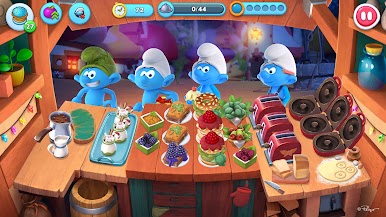















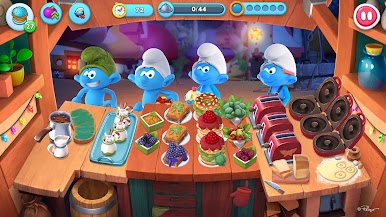


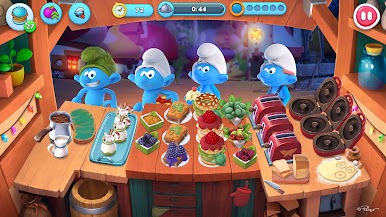

Play Smurfs Cooking on PC. It’s easy to get started.
-
Download and install BlueStacks on your PC
-
Complete Google sign-in to access the Play Store, or do it later
-
Look for Smurfs Cooking in the search bar at the top right corner
-
Click to install Smurfs Cooking from the search results
-
Complete Google sign-in (if you skipped step 2) to install Smurfs Cooking
-
Click the Smurfs Cooking icon on the home screen to start playing

