


Sort Verse
Play on PC with BlueStacks – the Android Gaming Platform, trusted by 500M+ gamers.

Page Modified on: Sep 9, 2026
Play Sort Verse on PC
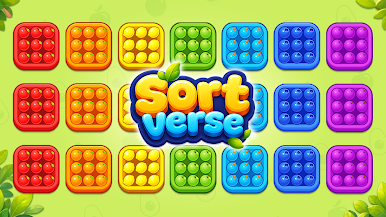
Welcome to Sort Verse, a vibrant 3D brain teaser where physics meets fast-paced puzzle logic!
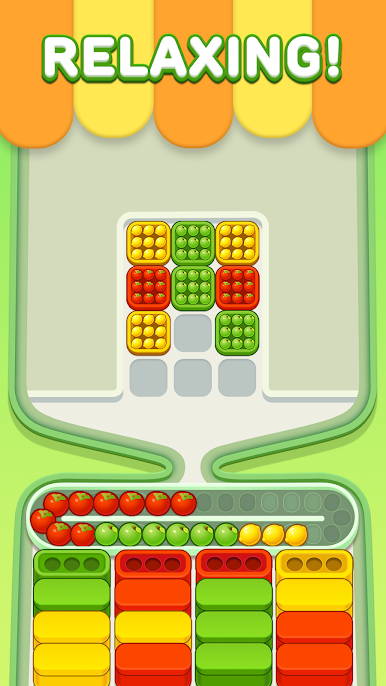
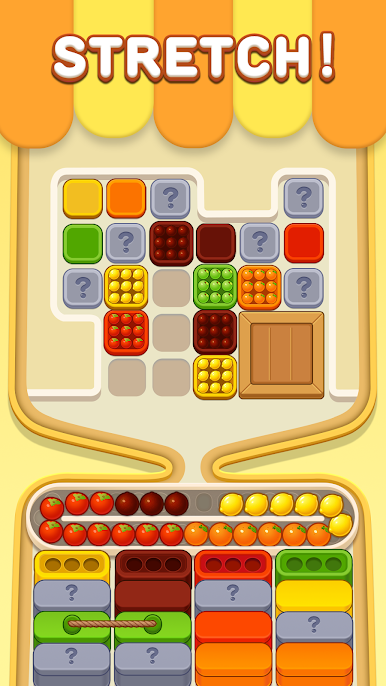
Your mission is simple but challenging: sort every colorful fruit from the top trays into their matching boxes at the bottom. 🍊🍓🍇
🎮 How to Play
🔴 Tap to Drop
Release fruits from the top trays and watch them tumble with realistic physics!
🟡 Ride the Conveyor
Fruits land on the ever-moving circular conveyor belt. Plan your moves carefully!
🟢 Match & Pack
Guide fruits into the bottom boxes and fill all 3 slots with fruits of the same color.
🔵 Don't Run Out of Space
If the conveyor gets full and no matching boxes are available, you lose! Think ahead and drop wisely.
✨ Game Features
🧠 Brain-Teasing Levels
Test your logic and strategy as the puzzles become trickier and more challenging.
🎧 Relaxing ASMR Vibes
Enjoy the satisfying sounds of rolling fruits, gentle clinks, and smooth physics — perfect for a little stress relief.
🕹️ Easy to Learn, Hard to Master
Simple one-tap controls make it easy to pick up and play anytime, anywhere.
📶 Play Offline
No Wi-Fi or mobile data required. Perfect for your commute, waiting in line, or relaxing at home.
🍓 Ready to Sort?
Can you beat the conveyor and sort them all?
Download Sort Verse now and put your puzzle-solving skills to the test! ✨



Play Sort Verse on PC. It’s easy to get started.
-
Download and install BlueStacks on your PC
-
Complete Google sign-in to access the Play Store, or do it later
-
Look for Sort Verse in the search bar at the top right corner
-
Click to install Sort Verse from the search results
-
Complete Google sign-in (if you skipped step 2) to install Sort Verse
-
Click the Sort Verse icon on the home screen to start playing

