


Bingo Play: Bingo Offline Fun
Play on PC with BlueStacks – the Android Gaming Platform, trusted by 500M+ gamers.

Page Modified on: Oct 23, 2025
Main Bingo Play: Bingo Offline Fun on PC
Play this bingo game with 1 to 4 cards in live bingo rounds simultaneously, enjoyed by users all around the world.
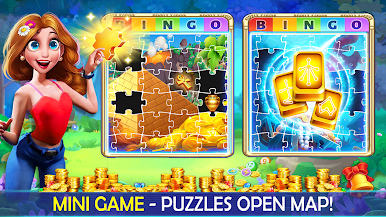
◉ Simple and addictive gameplay and collect and complete 30 level map fantastical for big rewards.
◉ Play the Daily Spin to claim a free bingo prize.
◉ Funny design and areas to discover, challenge your friends.
◉ Collect treasure chests to win FREE power ups.
◉ Play without wifi or internet connection, play offline. You can play bingo games at home, anywhere, anytime.
Note: This game is for entertainment purposes only for adults (18+). The games do not offer cash rewards or promise success in gambling or real money prizes.
This game allow the purchase of virtual items with real money in the game.








Play Bingo Play: Bingo Offline Fun on PC. It’s easy to get started.
-
Download and install BlueStacks on your PC
-
Complete Google sign-in to access the Play Store, or do it later
-
Look for Bingo Play: Bingo Offline Fun in the search bar at the top right corner
-
Click to install Bingo Play: Bingo Offline Fun from the search results
-
Complete Google sign-in (if you skipped step 2) to install Bingo Play: Bingo Offline Fun
-
Click the Bingo Play: Bingo Offline Fun icon on the home screen to start playing

