


Battle Royale Football
Play on PC with BlueStacks – the Android Gaming Platform, trusted by 500M+ gamers.

Page Modified on: Oct 16, 2026
Play Battle Royale Football on PC
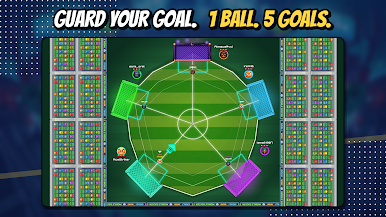
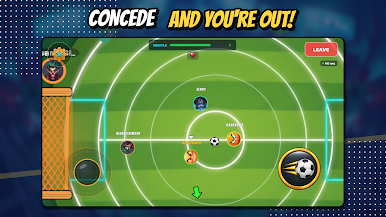
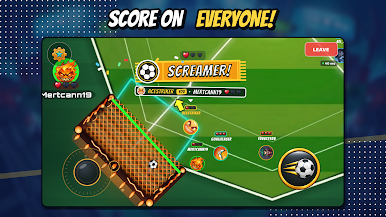
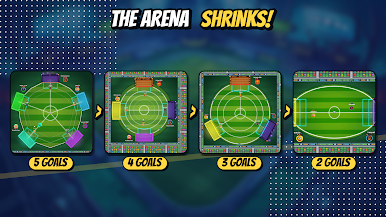
Five players, five goals, one ball. Every player defends their own goal and attacks everyone else's. Concede a goal and you lose a life — lose them all and you're knocked out. The arena shrinks with every knockout until the last two players face off in a 1v1 final. Be the last one standing!
⚽ EASY TO PLAY, HARD TO MASTER
One-thumb controls: a joystick to move and a button to shoot. Matches last 2–4 minutes, perfect for any break.
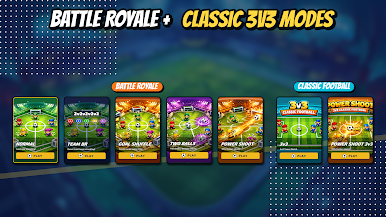
🏆 6 GAME MODES
• Battle Royale — 5 players, 5 goals, one winner
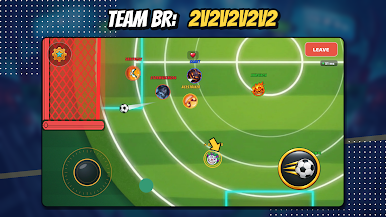
• Team Battle Royale — team up in duos (2v2v2v2v2) and share your lives
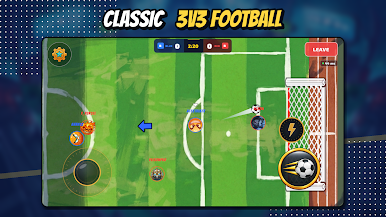
• Classic 3v3 — team football for squad players
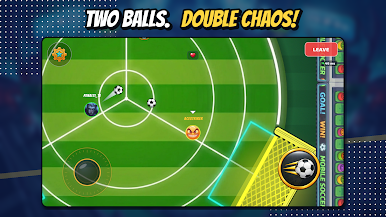
• Two Balls — double the chaos on the pitch
• Power Shot — faster shots, no time to react
• Goal Shuffle — goals switch places mid-match, stay sharp!
🤖 INSTANT MATCHES
No waiting — smart AI opponents are always ready to play, from beginner to pro.
🌟 COLLECT & PROGRESS
• Unlock unique characters with coins you earn
• Level up and earn XP and rewards
• Complete daily missions and claim daily rewards
• Climb the leaderboards
Available in 17 languages. Download now and show everyone who rules the pitch!

Play Battle Royale Football on PC. It’s easy to get started.
-
Download and install BlueStacks on your PC
-
Complete Google sign-in to access the Play Store, or do it later
-
Look for Battle Royale Football in the search bar at the top right corner
-
Click to install Battle Royale Football from the search results
-
Complete Google sign-in (if you skipped step 2) to install Battle Royale Football
-
Click the Battle Royale Football icon on the home screen to start playing

