


Cinderella: Tile Story
Play on PC with BlueStacks – the Android Gaming Platform, trusted by 500M+ gamers.

Page Modified on: Sep 7, 2026
Play Cinderella: Match 3 Tile Quest on PC or Mac
Play Cinderella: Match 3 Tile Quest by 3A BAYA GAMES PUBLISHING LIMITED on PC or Mac with BlueStacks. Use a bigger screen, mouse and keyboard controls, and smoother performance while you play.
About the Game
Midnight’s getting closer, and Cinderella has a castle to reach. In Cinderella: Match 3 Tile Quest, you’ll sift through layered boards, choosing tiles with care to keep the path clear and the story moving. It blends triple-tile matching with a mahjong-style reveal-and-plan rhythm for a cozy, brain-tickling Puzzle experience.
Game Features
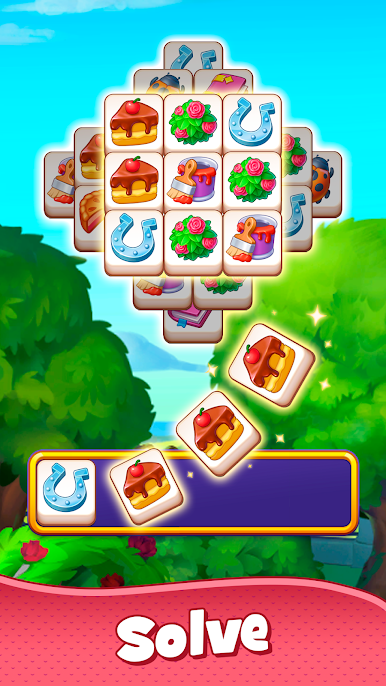
- Triple-tile rack — Build sets of three on a seven-slot rack. Pick a tile, park it, and when a trio matches, it pops away. Run out of space and you’ll need another go, so order matters.
- Layered mahjong boards — Tiles are stacked in layers, some hidden until you free what’s on top. Peek ahead, plan a few moves, and open the pieces you actually need.
- A path to the ball — Every cleared layout nudges Cinderella closer to the palace gates, with new scenes and milestones to uncover on the way.
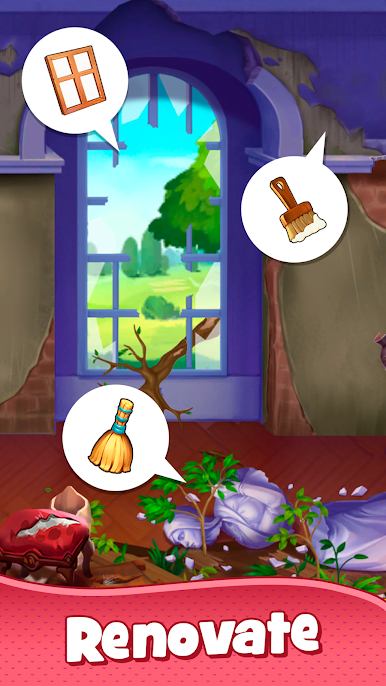
- Dress and decorate — Unlock elegant gowns, sparkling accessories, and freshen up charming rooms around the castle as you progress.
- Brainy but calm — Start with relaxed puzzles, then slide into trickier challenges that reward memory, sequencing, and smart timing.
- Helpful boosts — Stuck on a layout? Use handy hints or a touch of magic to keep your run alive without killing the vibe.
- Offline friendly — Great for planes, trains, or couch time. Play whenever, no Wi‑Fi required.
- Tons of layouts — Hundreds of handcrafted boards provide quick wins and satisfying head-scratchers.
- BlueStacks ready — Like a bigger view or click controls? It also plays nicely on BlueStacks.
Get ready for a buttery smooth, high-performance gaming action only on BlueStacks.





Play Cinderella: Tile Story on PC. It’s easy to get started.
-
Download and install BlueStacks on your PC
-
Complete Google sign-in to access the Play Store, or do it later
-
Look for Cinderella: Tile Story in the search bar at the top right corner
-
Click to install Cinderella: Tile Story from the search results
-
Complete Google sign-in (if you skipped step 2) to install Cinderella: Tile Story
-
Click the Cinderella: Tile Story icon on the home screen to start playing

