


Blocky Quest: 3D Platformer
Play on PC with BlueStacks – the Android Gaming Platform, trusted by 500M+ gamers.

Page Modified on: Jul 12, 2026
Play Blocky Quest: 3D Platformer on PC
The peaceful cube world is under attack by mysterious dark forces. Its up to you to step up as the hero! Explore massive open-world levels, uncover hidden secrets, collect shiny coins, and smash your way to victory.
Key Features:
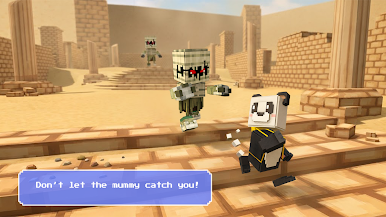
Classic 3D Platformer Gameplay: Master smooth controls to run, double-jump, dash, and ground-pound through dynamic obstacles and dangerous traps.
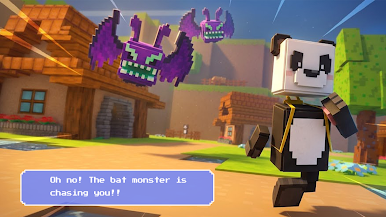
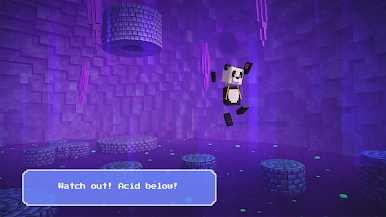
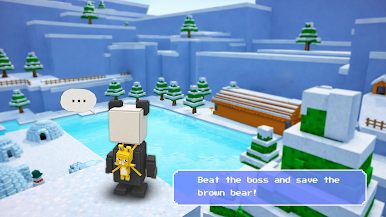
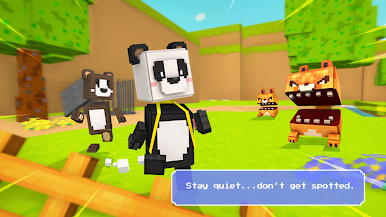
Stunning Voxel Art Style: Immerse yourself in a retro-inspired blocky universe. Experience beautiful high-contrast lighting, dark-themed dungeons, and glowing neon environments that make every level visually mesmerizing.
Massive Open Worlds: Explore diverse realmsfrom peaceful blocky forests to intense, futuristic neon cities. Every corner holds a new secret!
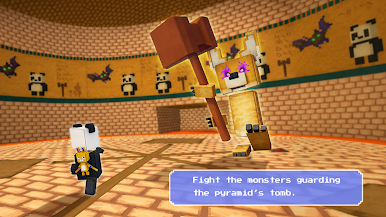
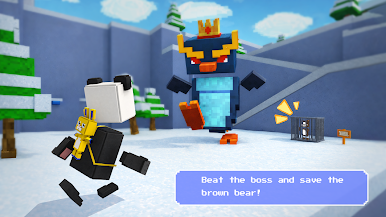
Epic Boss Fights: Test your platforming skills and reflexes against giant voxel monsters in intense combat encounters.
Customize Your Hero: Use your collected coins to unlock dozens of unique skins, cool hats, and glowing particle trails to make your character truly yours.
Play Offline Anywhere: No Wi-Fi or internet connection needed! Enjoy the full action-adventure completely offline, whether you are commuting or relaxing at home.
Dive into a world of cubes, save your friends, and become the ultimate platforming master.
Download Blocky Quest now and start your 3D adventure today!
Play Blocky Quest: 3D Platformer on PC. It’s easy to get started.
-
Download and install BlueStacks on your PC
-
Complete Google sign-in to access the Play Store, or do it later
-
Look for Blocky Quest: 3D Platformer in the search bar at the top right corner
-
Click to install Blocky Quest: 3D Platformer from the search results
-
Complete Google sign-in (if you skipped step 2) to install Blocky Quest: 3D Platformer
-
Click the Blocky Quest: 3D Platformer icon on the home screen to start playing

