


Bingo Real Money:Win Real Cash
Play on PC with BlueStacks – the Android Gaming Platform, trusted by 500M+ gamers.

Page Modified on: Jun 5, 2026
Play Bingo Real Money:Win Real Cash on PC
Start a game, mark the numbers, complete bingo patterns, and collect rewards as you play 🎯. Each round is quick, smooth, and packed with chances to win jackpot prizes 🏆. Play with 1 to 4 cards at your own pace. More cards mean more excitement and more chances to earn bonus coins 💪.
Earn coins 🪙 by playing games and use them to redeem a variety of gift cards 🎁, including Starbucks ☕ and Amazon 🛒. Plus, spin the wheel 🎡 to collect gift fragments that you can exchange for special rewards 🎀.
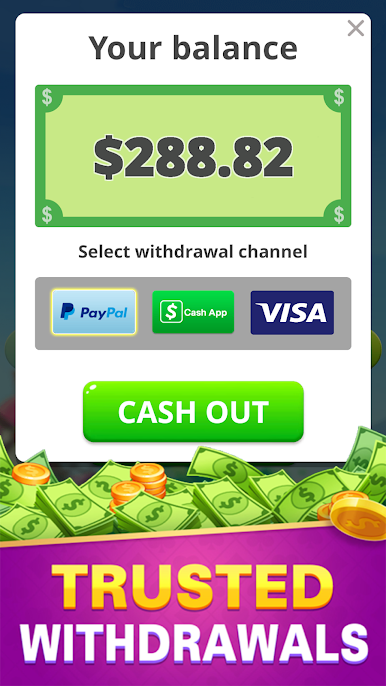
Redeem your accumulated prizes safely whenever you want 💳. Everything you earn is yours, with no hidden fees or purchases required. Just play, earn, and redeem your prizes easily.
Win Real Money Bingo works offline too 📴, so you can play anytime — whether on a break, traveling, or just relaxing 🛋️.
Game Features:
• Valuable jackpot prizes with safe reward redemption via PayPal, Cash App, and Visa 💵💳
• Earn coins to redeem gift cards like Starbucks ☕ and Amazon 🛒
• Spin the wheel 🎡 to collect gift fragments and exchange for gifts 🎀
• No deposits or purchases required 🚫
• Play with 1 to 4 cards at your own pace 🃏
• Offline play supported 📴
Download Win Real Money Bingo today and start winning jackpot prizes and exciting rewards while enjoying classic bingo fun 🎲. Play, earn coins, spin, and redeem prizes — all in one game! 🎉




Play Bingo Real Money:Win Real Cash on PC. It’s easy to get started.
-
Download and install BlueStacks on your PC
-
Complete Google sign-in to access the Play Store, or do it later
-
Look for Bingo Real Money:Win Real Cash in the search bar at the top right corner
-
Click to install Bingo Real Money:Win Real Cash from the search results
-
Complete Google sign-in (if you skipped step 2) to install Bingo Real Money:Win Real Cash
-
Click the Bingo Real Money:Win Real Cash icon on the home screen to start playing

