


Battle.net Authenticator
Play on PC with BlueStacks – the Android Gaming Platform, trusted by 500M+ gamers.

Page Modified on: Dec 8, 2023
Run Battle.net Authenticator on PC or Mac
Battle.net Authenticator is an Entertainment app developed by Blizzard Entertainment, Inc. BlueStacks app player is the best platform to run this Android app on your PC or Mac for an immersive gaming experience.
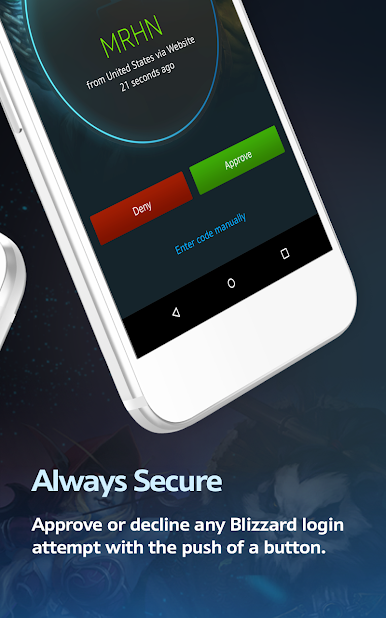
The Battle.net Authenticator is an extra layer of protection for the Blizzard Entertainment game service. In addition to a user’s regular password, it generates a unique, one-time password that must be entered.
The Battle.net Authenticator can prevent hackers from accessing a player’s account and stealing their virtual goods and currency. It can also be used to ensure that only the account’s owner can view the account’s profile and adjust the account’s privacy settings.
Players can choose to use the authenticator to increase their account security, but doing so is not required. All games that use the Battle.net account system, such as World of Warcraft, Diablo III, and StarCraft II, are compatible with the Battle.net Authenticator, which can be added to an account through the account management page.
This app makes it possible for you to receive the OTP wherever you are, ensuring that you and only you can gain access to your valuable account. Make sure the authenticator doesn’t land in the wrong hands, or you might find your gear, stats, and win rate tampered with.
Download Battle.net Authenticator on PC with BlueStacks and keep your Battle.net accounts safe.
Play Battle.net Authenticator on PC. It’s easy to get started.
-
Download and install BlueStacks on your PC
-
Complete Google sign-in to access the Play Store, or do it later
-
Look for Battle.net Authenticator in the search bar at the top right corner
-
Click to install Battle.net Authenticator from the search results
-
Complete Google sign-in (if you skipped step 2) to install Battle.net Authenticator
-
Click the Battle.net Authenticator icon on the home screen to start playing

