


NiceLock Pro for Samsung
Play on PC with BlueStacks – the Android Gaming Platform, trusted by 500M+ gamers.

Page Modified on: Feb 25, 2025
Play NiceLock Pro for Samsung on PC
NiceLock is a launcher application for goodlock customization modules for Samsung devices.
Good Lock is an incredible official app by Samsung for customizing Samsung devices. It consists of modules which edit and change many things in the UI such as task changer, notification panel, lockscreen, split screen and more. Unfortunately it is only available in a few countries. Even if you install them manually, most of them does not appear in your app drawer. That is where NiceLock comes into play, by acting as a launcher for all of your modules, allows you to access them.
NiceLock Pro is adfree and paid version of NiceLock.
Important Note:
•NiceLock does not install Good Lock modules due to Google Play Store rules, and you need to install these modules manually if you are outside Korea, the United States, UK, Singapore, Australia, and Canada.
Features:
•Adding shortcuts to homescreen
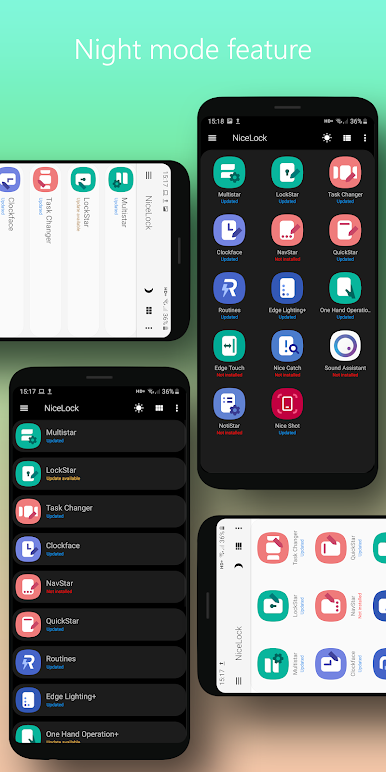
•Night Mode
NiceLock has a Night Mode option to be easier on your eyes and if you just prefer darker layouts.
•Cloud Database
When opened, NiceLock checks its own database to see if your modules have updates available.
•Cloud Rollout
When a new module is published, you will be able to see it on NiceLock instantly without even needing to update NiceLock!
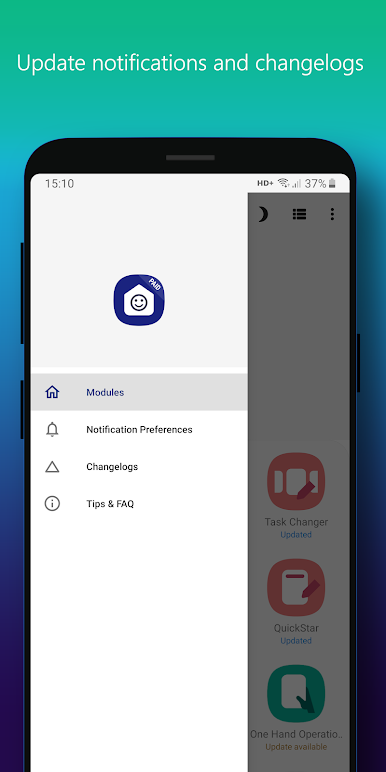
•Push Notifications
When a module update is available, NiceLock will send you push notifications.
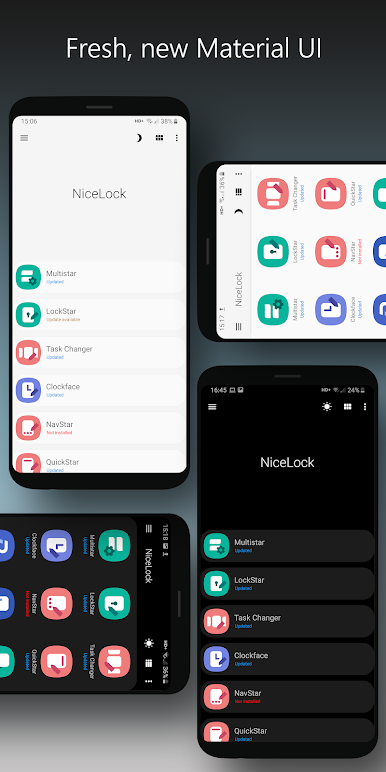
•Material Design UI
NiceLock is updated with a fresh, clean Material Design UI.
Good Lock © is a trademark of Samsung.

Play NiceLock Pro for Samsung on PC. It’s easy to get started.
-
Download and install BlueStacks on your PC
-
Complete Google sign-in to access the Play Store, or do it later
-
Look for NiceLock Pro for Samsung in the search bar at the top right corner
-
Click to install NiceLock Pro for Samsung from the search results
-
Complete Google sign-in (if you skipped step 2) to install NiceLock Pro for Samsung
-
Click the NiceLock Pro for Samsung icon on the home screen to start playing

