


Boom Smash
Play on PC with BlueStacks – the Android Gaming Platform, trusted by 500M+ gamers.

Page Modified on: Oct 9, 2026
Play Boom Smash on PC
Take aim, fire your cannon and break through the blocks to uncover the scene behind them. Boom Smash combines cannon shooting, physics-based destruction and a growing character gallery in a casual arcade game.
🎯 FIND YOUR SHOT
Study the structure, choose where to hit and send the blocks tumbling. You have a limited supply of cannonballs, so a well-placed shot can make all the difference.
💥 ENJOY THE SMASH
Break apart stacked blocks and tackle different targets as you progress. Watch structures collapse, clear each level's objectives and get closer to your next reveal.
✨ UNCOVER THE CHARACTERS
Complete levels to reveal character pictures and discover different looks. Every cleared stage brings progress towards your next discovery.
🖼️ GROW YOUR GALLERY
Revisit the pictures you have earned and explore your character albums. Keep clearing levels to add to your collection and see how far you have come.
🚀 CHOOSE YOUR BOOSTER
Try Five Shot, Ricochet, Blast or Rapid Fire and find a different way to tackle a tricky level. Choose the approach that suits your next challenge.
🏅 TAKE ON THE NEXT CHALLENGE
Move through changing block arrangements and level goals. Adjust your aim, learn from each attempt and work towards your next clear.
WHY PLAY BOOM SMASH?
• Cannon shooting with simple touch controls
• Block-smashing action and physics-based gameplay
• Character pictures to reveal through level progress
• A gallery where you can revisit earned pictures
• Boosters that change how you approach a level
• Rich burgundy-and-gold visuals
Line up your shot. Bring down the blocks. Discover what comes next.
Boom Smash contains ads and offers in-app purchases.



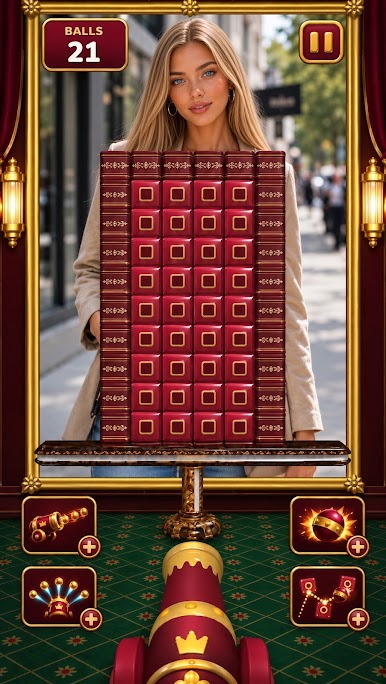
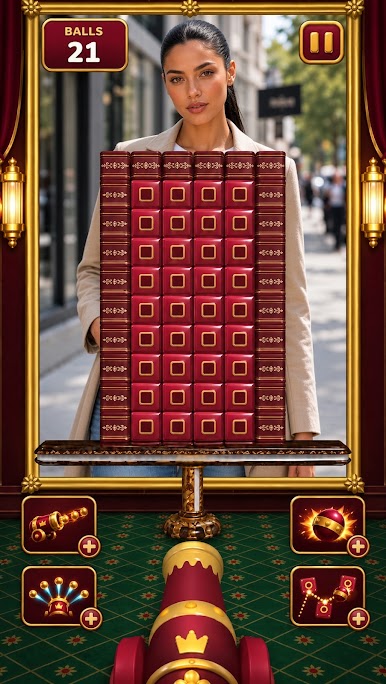
Play Boom Smash on PC. It’s easy to get started.
-
Download and install BlueStacks on your PC
-
Complete Google sign-in to access the Play Store, or do it later
-
Look for Boom Smash in the search bar at the top right corner
-
Click to install Boom Smash from the search results
-
Complete Google sign-in (if you skipped step 2) to install Boom Smash
-
Click the Boom Smash icon on the home screen to start playing

