


Bracelet Maker: DIY ASMR
Play on PC with BlueStacks – the Android Gaming Platform, trusted by 500M+ gamers.

Page Modified on: Aug 10, 2026
Main Bracelet Maker: DIY ASMR on PC
"Wow! Your handmade bracelet is so pretty!"
Start your Bracelet ASMR livestream!
Today's design? Colorful beads, sparkling charms, sweet ribbons, and adorable pendants. Create beautiful handmade bracelets and share them with your viewers!
From a cozy crafting desk to becoming the most popular DIY creator, every bracelet is a chance to gain more likes and followers!
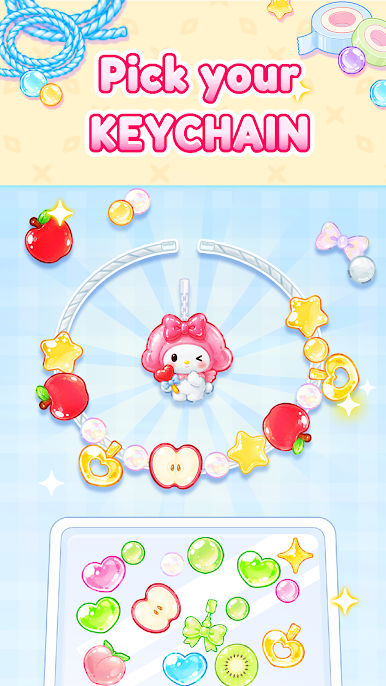
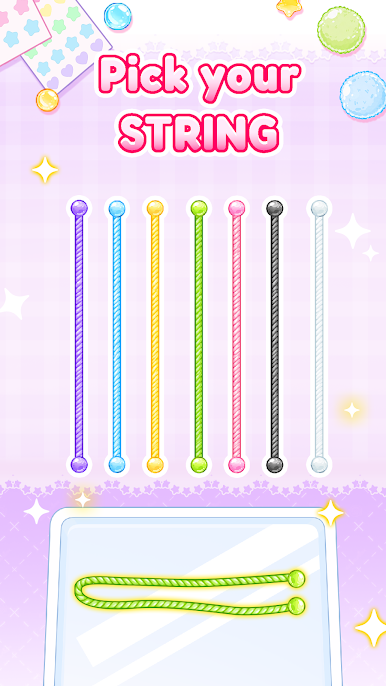
[ Pick Your Beads ]
So many colors and styles!
Tap to choose your favorite beads and decorations.
[ Design Your Bracelet ]
Mix and match charms, pearls, ribbons, and cute accessories.
Create the perfect bracelet for every customer!
[ Go Live ]
Ta-da! Ready to show your creation?
""That ASMR sound is so satisfying!""
Collect likes, gain followers, and unlock even more decorations.
Features:
• Relaxing DIY bracelet-making gameplay
• Satisfying ASMR crafting sounds
• Variety of beads, charms, and accessories
• Fun livestream creator experience
• Easy and relaxing gameplay
• Unlock new decorations and grow your audience
Become the ultimate Bracelet ASMR creator today!



Play Bracelet Maker: DIY ASMR on PC. It’s easy to get started.
-
Download and install BlueStacks on your PC
-
Complete Google sign-in to access the Play Store, or do it later
-
Look for Bracelet Maker: DIY ASMR in the search bar at the top right corner
-
Click to install Bracelet Maker: DIY ASMR from the search results
-
Complete Google sign-in (if you skipped step 2) to install Bracelet Maker: DIY ASMR
-
Click the Bracelet Maker: DIY ASMR icon on the home screen to start playing

