


Kitty Tripeaks
Play on PC with BlueStacks – the Android Gaming Platform, trusted by 500M+ gamers.

Page Modified on: Aug 14, 2026
Play Kitty Tripeaks on PC
Clear cards from the board by choosing cards one higher or one lower than your current card. Plan your moves, build streaks, use helpful boosters, and complete levels as you progress through a warm and colorful card adventure.
Kitty Tripeaks is easy to learn and satisfying to play, with bright casual graphics, friendly UI, and charming moments designed for solitaire fans.
Features:
- Play classic TriPeaks solitaire levels
- Clear cards by matching one higher or one lower
- Enjoy a cute kitty companion
- Use helpful boosters when you need a hand
- Complete levels and earn stars
- Relax with cozy casual game visuals
- Simple controls and smooth card gameplay
If you enjoy solitaire, TriPeaks, card puzzles, cozy rooms, and cute characters, Kitty Tripeaks is ready for you.
Download Kitty Tripeaks and start your cozy card adventure today.

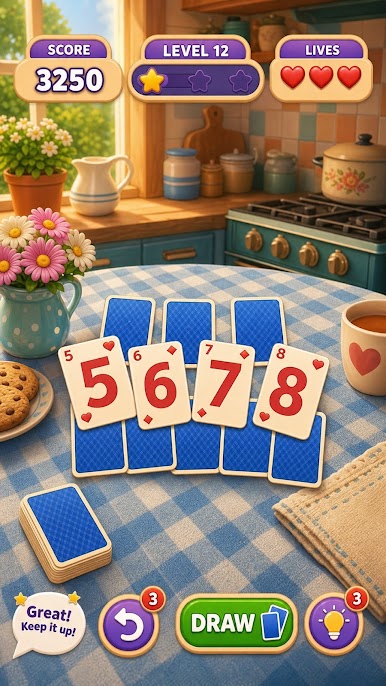


Play Kitty Tripeaks on PC. It’s easy to get started.
-
Download and install BlueStacks on your PC
-
Complete Google sign-in to access the Play Store, or do it later
-
Look for Kitty Tripeaks in the search bar at the top right corner
-
Click to install Kitty Tripeaks from the search results
-
Complete Google sign-in (if you skipped step 2) to install Kitty Tripeaks
-
Click the Kitty Tripeaks icon on the home screen to start playing

