


Power Spin Quest
Play on PC with BlueStacks – the Android Gaming Platform, trusted by 500M+ gamers.

Page Modified on: Jul 1, 2026
Play Power Spin Quest on PC
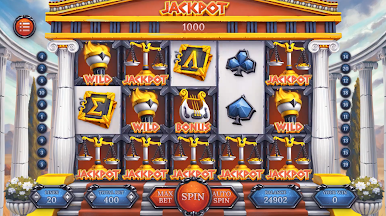
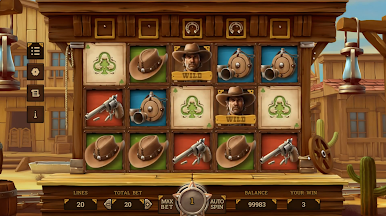
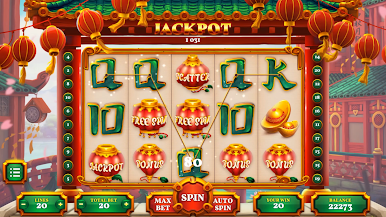
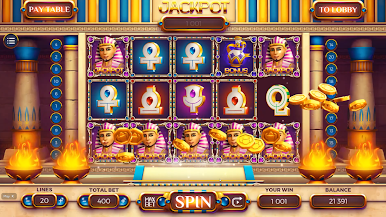
This free slot machine game lets you spin across beautifully crafted themes — from vibrant Asian festivals to the Wild West and frozen Viking lands. No real money, no gambling — just pure slot-spinning fun with in-game coins and exciting rewards!
🎰 What You’ll Love:
• Stunning slot designs — each machine has its own atmosphere, symbols & animations
• Free in-game coins to keep the fun going
• Jackpots, Wilds, Free Spins & bonus features
• Multiple themed machines to unlock and enjoy
• Auto Spin & Max Bet for fast-paced gameplay
• Easy to play — perfect for casual fun
• Play anytime, anywhere — no real-money gambling
🔥 Spin through amazing worlds:
• Asian Fortune Slot — lanterns, gold coins, scrolls & lucky jackpots
• Wild West Slot — hats, pistols, cowboy Wilds & rustic reels
• Viking Legends Slot — runes, warriors, icy forests & powerful horns
• And many more!
🎁 Daily rewards, bonuses and fun events keep every session exciting.
💬 Play for entertainment only.
This game uses virtual currency and does not offer real-money gambling or prizes.

Play Power Spin Quest on PC. It’s easy to get started.
-
Download and install BlueStacks on your PC
-
Complete Google sign-in to access the Play Store, or do it later
-
Look for Power Spin Quest in the search bar at the top right corner
-
Click to install Power Spin Quest from the search results
-
Complete Google sign-in (if you skipped step 2) to install Power Spin Quest
-
Click the Power Spin Quest icon on the home screen to start playing

