


Chicken Bridge Road
Play on PC with BlueStacks – the Android Gaming Platform, trusted by 500M+ gamers.

Page Modified on: Apr 6, 2026
Play Chicken Bridge Road on PC
The gameplay is built around momentum and quick reactions. As you keep the run alive, you build combos, collect golden eggs, and push your score higher with every successful repair. The longer you last, the faster and more intense the challenge becomes, testing your ability to stay calm under pressure.
At peak moments, the pace surges and every move feels critical, creating a thrilling flow that rewards focus and consistency. Chicken Bridge Repair delivers a satisfying loop of risk, speed, and clutch decisions, where one perfect moment can keep everything from falling apart.

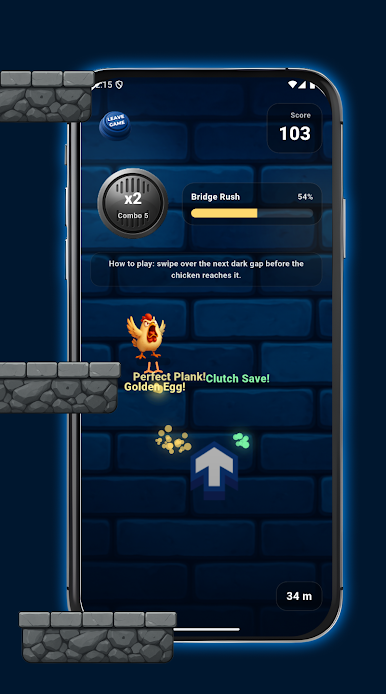




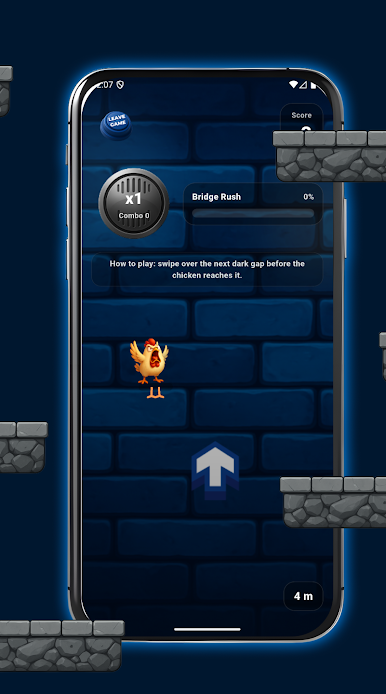
Play Chicken Bridge Road on PC. It’s easy to get started.
-
Download and install BlueStacks on your PC
-
Complete Google sign-in to access the Play Store, or do it later
-
Look for Chicken Bridge Road in the search bar at the top right corner
-
Click to install Chicken Bridge Road from the search results
-
Complete Google sign-in (if you skipped step 2) to install Chicken Bridge Road
-
Click the Chicken Bridge Road icon on the home screen to start playing

