


Chat AI: Ask Agent Anything
Play on PC with BlueStacks – the Android Gaming Platform, trusted by 500M+ gamers.

Page Modified on: Sep 22, 2026
Run Ask AI - Chat with Chatbot on PC or Mac
Ask AI – Chat with Chatbot is a productivity app developed by Codeway Dijital. BlueStacks app player is the best platform to play this Android game on your PC or Mac for an immersive gaming experience.
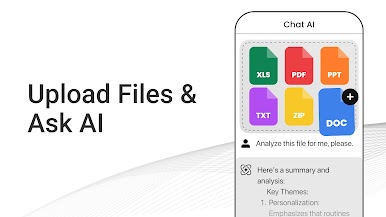
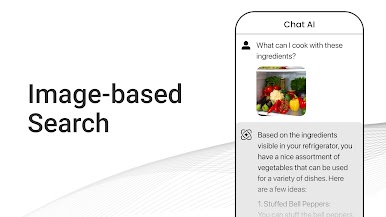
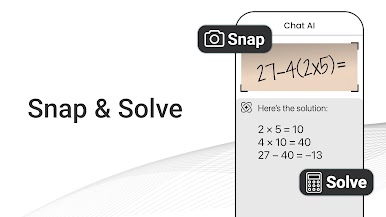
Are you looking for a way to get instant answers to any question and write effortlessly? Look no further than Ask AI, powered by ChatGPT and GPT-3 technology!
Whether you’re looking for information about a historical event, a scientific fact, a language translation, a food recipe, or a dad joke, Ask AI has the knowledge you need at your fingertips.
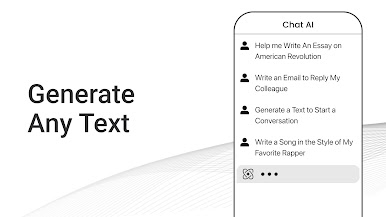
But that’s not all – Ask AI can also help you with your writing tasks. From writing essays and emails to composing entire paragraphs, Ask AI’s AI-powered writing assistant can help you tackle any writing task with ease.
And that’s not all – Ask AI can also help unleash your creativity. Use it to write a poem, rap song lyrics, or a story. Get creative with Ask AI and let your imagination run wild!
No matter if you’re looking for a quick answer or whether you want to take on a creative writing project, Ask AI, powered by ChatGPT and GPT-3 technology, can help you get it done. Get instant answers, write effortlessly, and unleash your creativity. Try Ask AI today and see for yourself!
Download Ask AI – Chat with Chatbot Now with BlueStacks and ask anything that helps increase your productivity anytime anywhere on your PC or Mac!




Play Chat AI: Ask Agent Anything on PC. It’s easy to get started.
-
Download and install BlueStacks on your PC
-
Complete Google sign-in to access the Play Store, or do it later
-
Look for Chat AI: Ask Agent Anything in the search bar at the top right corner
-
Click to install Chat AI: Ask Agent Anything from the search results
-
Complete Google sign-in (if you skipped step 2) to install Chat AI: Ask Agent Anything
-
Click the Chat AI: Ask Agent Anything icon on the home screen to start playing

