


Cozy Christmas Color
Play on PC with BlueStacks – the Android Gaming Platform, trusted by 500M+ gamers.

Page Modified on: Oct 12, 2026
Play Cozy Christmas Color on PC or Mac
Cozy Christmas Color brings the Board genre to life, and throws up exciting challenges for gamers. Developed by Special Coloring Studio, this Android game is best experienced on BlueStacks, the World’s #1 app player for PC and Mac users.
About the Game
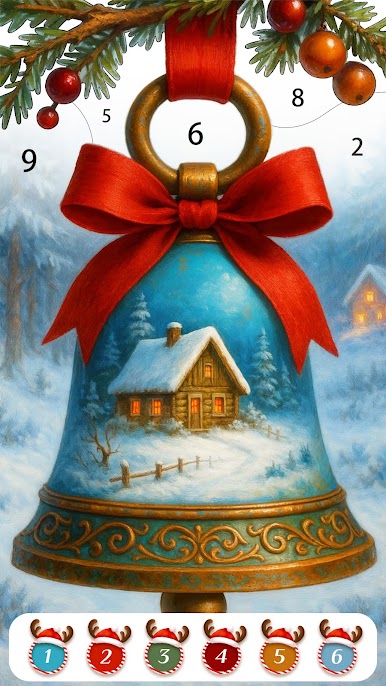
Cozy Christmas Color is a Board game built for low-key, feel-good coloring sessions. Pick a scene—think glowing fireplaces, snowy streets, and old-school ornaments—and bring it to life with easy color-by-number play. Want a bigger canvas for your artwork? BlueStacks is a nice way to enjoy it on a larger screen without fuss.
Game Features
- Holiday Scenes You Can Feel: Fill in twinkling lights, decorated trees, and warm living rooms that look straight out of a classic holiday postcard.
- Tap-to-Color Simplicity: Match numbers to colors and watch each picture slowly bloom from outlines to a finished piece—no art skills required.
- Vintage Christmas Vibe: Color retro toys, heirloom ornaments, and timeless illustrations that capture that cozy, old-fashioned charm.
- Winter Worlds to Unwind In: Stroll through snowy villages, frosty forests, and quiet streets—perfect for clearing your head after a long day.
- Cozy Home Moments: Bring to life steaming mugs by the fire, cookie trays on the counter, and festive corners of snug cabins.
- Santa, Reindeer, and Friends: Paint cheerful characters and winter animals that add a playful spark to the season.
- Satisfying Reveal: Each completed section clicks neatly into place, so progress feels calm, steady, and really rewarding.
- Short Breaks or Long Evenings: Do a few tiles between tasks or settle in for a soothing coloring night—it’s comfortable either way.
- Crisp Artwork, Warm Colors: Clean line art and palettes designed for soft glow and gentle contrast make every page feel comforting.
Get ready for a buttery smooth, high-performance gaming action only on BlueStacks.







Play Cozy Christmas Color on PC. It’s easy to get started.
-
Download and install BlueStacks on your PC
-
Complete Google sign-in to access the Play Store, or do it later
-
Look for Cozy Christmas Color in the search bar at the top right corner
-
Click to install Cozy Christmas Color from the search results
-
Complete Google sign-in (if you skipped step 2) to install Cozy Christmas Color
-
Click the Cozy Christmas Color icon on the home screen to start playing

