


Color Fan: Color By Number
Play on PC with BlueStacks – the Android Gaming Platform, trusted by 500M+ gamers.

Page Modified on: Jul 12, 2026
Play Color Fan: Color By Number on PC or Mac
Play Color Fan: Color By Number by Umar Farooq Developer on PC or Mac with BlueStacks. Use a bigger screen, mouse and keyboard controls, and smoother performance while you play.
About the Game
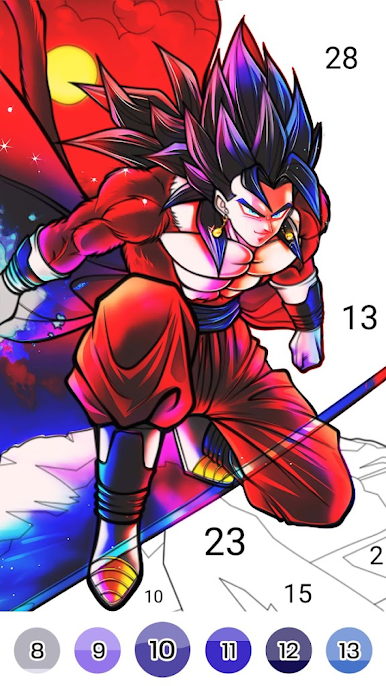
Color Fan: Color By Number is a chill Casual coloring game where you tap along with simple number guides to bring detailed art to life. It’s made for quick breaks or long, cozy sessions—pick an image, zone out, and watch colors snap into place as your picture fills in. No pressure, just a satisfying rhythm that turns your screen into a personal art wall.
Game Features
- Number-guided coloring: Match the number, tap the cell, and see the artwork bloom one touch at a time. It’s easy to learn and super relaxing.
- Anime and game themes: From fan-favorite classics to what’s trending right now, there’s a steady mix of anime and gaming pieces to color.
- Clean, clutter-free workspace: The interface stays out of your way so you can focus on the fun part—coloring.
- Curated HD illustrations: Enjoy crisp, high-quality images, including exclusive designs selected to look great when finished.
- Time-lapse replays: Watch your entire coloring session play back in seconds and relive the transformation from blank to brilliant.
- Quick sharing: Proud of your latest piece? Share finished art and replay videos with just a couple of taps.
- Calming by design: Smooth, steady coloring that’s perfect for unwinding, clearing your head, or filling a spare moment.
- Comfortable on bigger screens: Prefer coloring on a desktop setup? Run it with BlueStacks to enjoy a larger canvas and easy clicking.
Start playing Color Fan: Color By Number on BlueStacks and get a smoother, more comfortable PC or Mac setup.




Play Color Fan: Color By Number on PC. It’s easy to get started.
-
Download and install BlueStacks on your PC
-
Complete Google sign-in to access the Play Store, or do it later
-
Look for Color Fan: Color By Number in the search bar at the top right corner
-
Click to install Color Fan: Color By Number from the search results
-
Complete Google sign-in (if you skipped step 2) to install Color Fan: Color By Number
-
Click the Color Fan: Color By Number icon on the home screen to start playing

